How to Handle Responding to Reviews Like a Pro – Even if They Gave Your Firm One Star

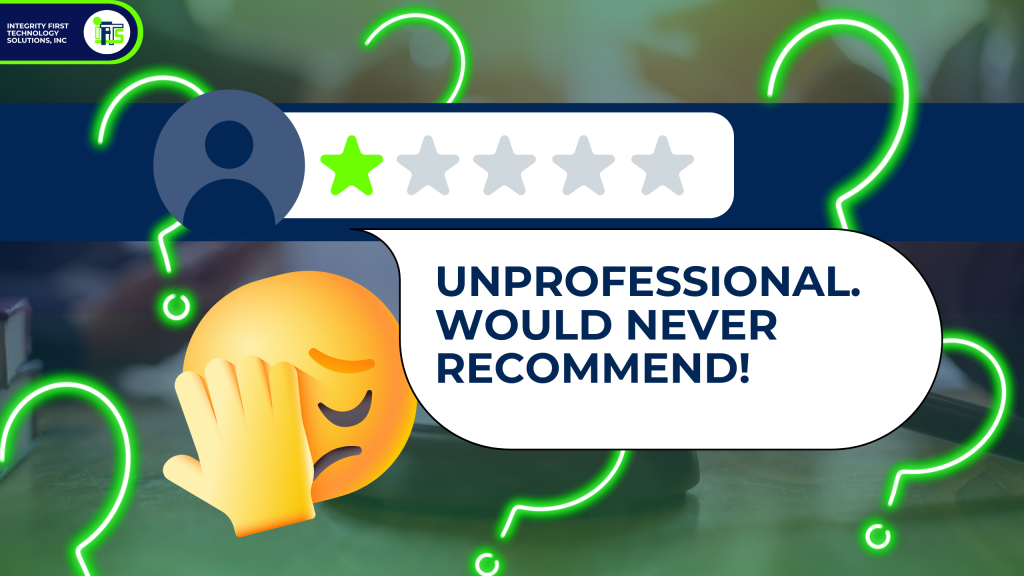
You sit down at your desk, sip your coffee and open your email, then it hits you – Google just sent you a notification.  You have a new review for your law firm and it’s not good…someone just left a one-star review with a vague, scathing comment:

“Unprofessional. Would never recommend.”

No details. Nothing to go on, just those 4 damning words.  

So, what’s your first instinct? 

It could be to fire back a rebuttal and explain in painstaking detail exactly how this person is 100% wrong.

Maybe you think that you should just ignore it, hope it goes away and eventually get buried under better reviews.

However, neither of those responses will help your firm’s reputation, nor will they help you get new clients.

The truth is in today’s digital world, your online reputation is just as important as a referral from a trusted friend or family member.  

Getting 5-star reviews is great and should be what you strive for every time!  

However, it’s often how you respond to the bad ones that really determines a prospect’s view of you and if they contact your firm…or call a competitor.  

Think of your online reputation like a courtroom. Every review is a statement on the record.  Your response is your chance to present your best case to the jury.  Remember, the jury is not just the reviewer, but every potential client looking you up online.

In this article, we’ll break down how to handle online reviews like a pro—even the brutal ones—so that you can build trust, attract new clients, and strengthen your law firm’s credibility.
Why Reviews Matter to Law Firms More Than You Think

Let’s try a thought experiment…

Imagine you’re a prospect searching Google for a law firm to handle an important case. You look at Google Maps and find two options that specialize in your case type:

  • Firm A: 4.8 stars with 75 reviews, with many people mentioning the firm’s  responsiveness, expertise, and positive case outcomes.
  • Firm B: 3.9 stars with 12 reviews, including a few complaints about slow communication and poor follow-up.

Which one would YOU trust with your case?

Most people would choose Firm A without hesitation.

Online Reviews Are The New Word-of-Mouth

In the 80s, 90s and 00s, law firms would rely on word-of-mouth referrals from past clients or local business connections. Today, however, Google search has replaced most of this.

Consider the following:
✅ 98% of consumers read online reviews before making a purchase decision. (Forbes)
✅ 50% of consumers trust online reviews as much as personal recommendations from friends and family. (SearchEngineJournal)
✅ A one-star increase in a business’s Yelp rating leads to a 5–9% increase in revenue. (Harvard Business School)

In other words, your reviews aren’t just feedback—they’re money-makers!  You can’t afford to ignore them.

Silent Dealbreakers: The Reviews You Never Knew Cost You Clients

Have you ever thought about the people that searched for a lawyer in your area and did NOT contact you?

Most attorneys focus only on their direct interactions with potential clients—consultations, referrals, networking. But many potential clients decide against calling your firm long before they ever reach out.

Here’s why:

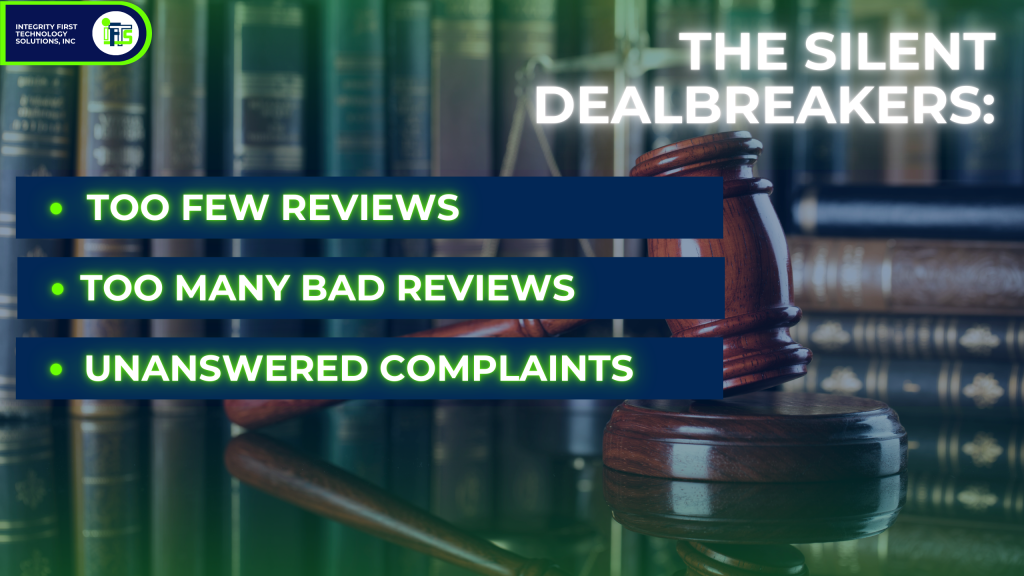
🚩They see too many negative reviews. (Even if they’re unfair, they still create doubt.)
🚩They see too few reviews. (A firm with just 5-10 reviews doesn’t feel established or trustworthy.)
🚩They see unanswered complaints. (Silence from the firm often speaks louder than the bad review itself.)

If your firm is already starting this process with a bunch of positive reviews, that’s awesome.  However, without a sound strategy for responding to any reviews that you have received, you’re missing a massive opportunity to control the narrative about your firm.
Think of reviews like a closing argument in a trial. It’s not just about what’s being said—it’s about how you respond that convinces the jury.

In the next section, we’ll dive into how to professionally handle positive reviews—because yes, even the good ones need a strategic response.

How to Respond to Positive Reviews

A question that clients ask us a lot is “Should I respond to the 5-star reviews that my firm gets?”

YES!

Obviously, happy clients are the goal.  A happy client’s review can speak for itself, but your response can:

  • add credibility to the review by reinforcing that this was a real client
  • strengthen your brand because you are going to thank them for their review and the time it took to leave it, which shows others that you are grateful
  • encourage more feedback

Think of it like a courtroom victory – you’re not just going to shake your client’s hand and call it a day.  You’d reinforce the win by celebrating their success and ensuring they feel valued. The same principle applies to review responses.

Acknowledge Good Feedback to Reinforce Your Brand

The number one mistake firms make with reviews?

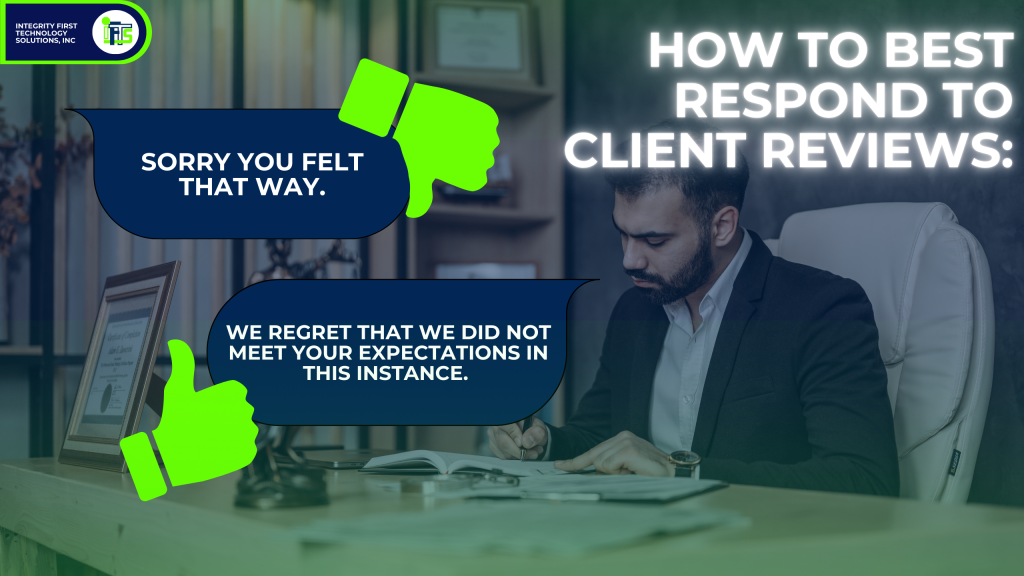
When they receive a glowing testimonial, they respond with a generic “Thank you for your review.”

While this is a polite response, it’s not really doing you any favors.  In fact, it’s like an attorney that says “Objection,” but doesn’t say why.  

Simply put, it’s a missed opportunity.

So, what should you do instead?

Personalize the response and show that you really appreciate the time and effort that they put in.  Not only will this be appreciated by the reviewer, but it shows potential clients reading your response that your firm really cares.

Here’s an example of a personalized response:

“[Client Name], we are so glad to hear that you had a positive experience working with our firm and that we achieved the outcome that you were hoping for.  Our team works hard to provide you with great legal representation and your review means a lot to us!  If you ever need legal assistance in the future, please don’t hesitate to reach out!”

Why this works:

  • It’s personal (uses the client’s name).
  • It reinforces your firm’s values (hard work, dedication).
  • It encourages future engagement (keeps the door open for referrals).
  • If a client highlights a specific attorney or team member, mention them in your response! It adds a human touch and shows appreciation for your team.
Leverage Positive Reviews: Don’t Let Them Go to Waste

A great review is more than just a confidence boost—it’s a marketing tool. Most law firms make the mistake of letting good reviews sit idly on Google. 

Instead, put them to work.  We’ll discuss how to do this later in this article.

Encourage Clients to Leave More Detailed Reviews

When someone leaves you a generic 5-star review and says “Great law firm!”, it’s nice.  However, potential clients won’t really learn anything from it. So, it doesn’t help them decide to hire you.

You should encourage your firm’s clients to leave reviews that highlight more specific aspects of their experience.

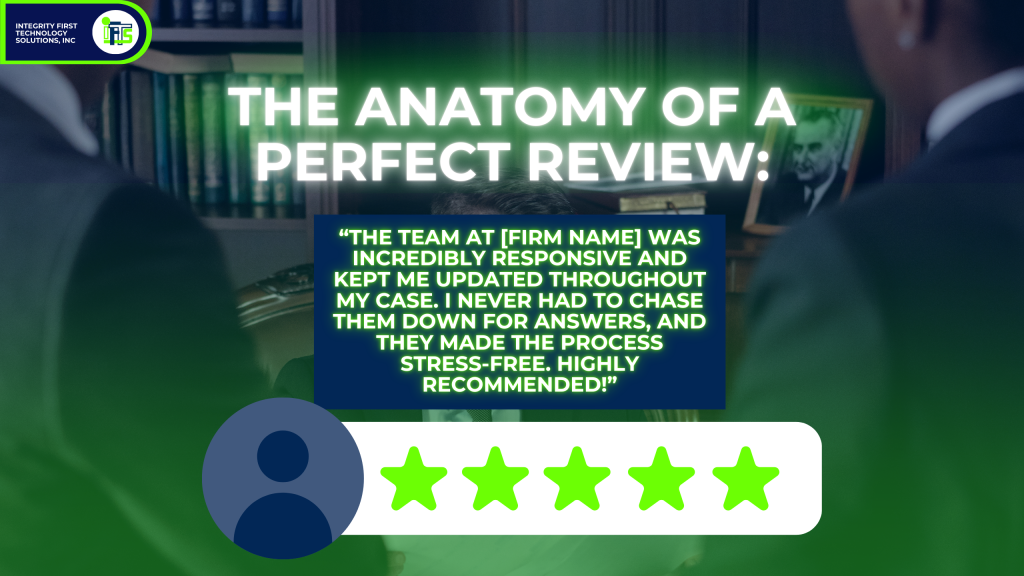
Here is an example of a review that would be great:

 “The team at [Firm Name] was incredibly responsive and kept me updated throughout my case. I never had to chase them down for answers, and they made the process stress-free. Highly recommended!”

So, how do you get more reviews like this?

  • After a successful case resolution, ask clients directly for a review.
  • Guide them by saying, “It would mean a lot if you could mention what stood out about our service—whether it was communication, expertise, or something else.”
  • Automate review requests using tools like GoHighLevel (which can send a polite follow-up text or email with some suggestions on what to say).
Make Responding to ALL Reviews a Weekly Habit

When you respond to your reviews, it’s not just about being polite and grateful to your current clients.  It’s a strategic way to:

  • build trust
  • attract the high-value cases/clients
  • position your firm as a top choice

To achieve this goal, you should assign a specific person on your team to be your “Review Captain”.  The “Review Captain” will monitor and respond to all online reviews on a weekly basis.

🔜 Next Up: How to handle negative reviews with professionalism—turning 1-star complaints into marketing gold.

How to Handle Negative Reviews Without Hurting Your Firm

It’s happened to all attorneys.

You pour your heart and soul into a case, navigate the complexities of the legal system, and do everything possible to help your client. Then, out of nowhere, a 1-star review appears on Google.

“Terrible experience. Would not recommend.”

No details. No explanation. 

Why would someone leave such a damaging public statement for all of your potential clients to see?

Your gut reaction? 

Anger? You want to defend yourself, set the record straight, or even call out the reviewer. 

Frustration? You feel helpless, watching your firm’s reputation take a hit from someone who may not even be telling the full story.

Nervous? What are you going to say when someone asks about this terrible review?

However, how you respond to that review matters FAR MORE than the review itself. 

In fact, a well-crafted response can turn a negative review into a marketing win. The steps to do that are as follows:

Step 1: Take a 24-Hour Pause Before Reacting

Any time someone says something negative about you, it can trigger a lot of emotions.  If you respond in the heat of the moment, that response may end up doing more hard than good.

Think of it like a tough cross-examination in court. When you react emotionally, you lose control of the story’s narrative. The same principle applies to review responses:

  • stay professional, 
  • stay composed, 
  • and always think strategically.

A Hypothetical Cautionary Tale

A small law firm owner responds angrily to a 1-star review, accusing the client of lying and publicly discussing details of the case. The result?

  • The negative review went viral on social media.
  • The firm’s unprofessional response became the real issue—not the original complaint.
  • The fallout led to lost potential clients, damage to their reputation, and a potential malpractice claim.

What is the lesson to learn from our hypothetical small firm owner? 

Don’t respond to a negative review immediately.  Instead, take a deep breath, step away for a day, and come back with a clear, strategic mindset.

Step 2: Address the Concern Professionally

A bad review doesn’t mean you’ve failed—it’s an opportunity to demonstrate professionalism, empathy, and a commitment to client satisfaction.

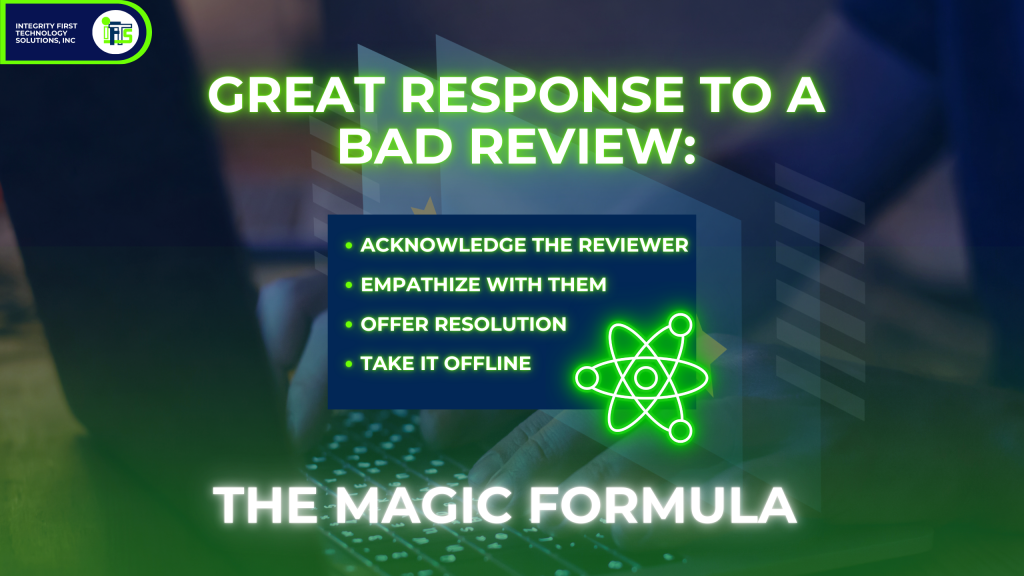
Here’s what you’ve been waiting for – the magic formula for a great response to a bad review:

✅ Acknowledge the reviewer – Recognize the reviewer’s frustration.
✅ Empathize with them – Show that you care about client satisfaction.
✅ Offer Resolution (If Possible) – Provide a way to address their concerns.
✅ Take It Offline – Move the conversation away from public view.

Example Response:

“We appreciate your feedback and are sorry to hear you were unsatisfied. Client satisfaction is our priority, and we’d love the opportunity to address your concerns. Please contact us at [email] or [phone] so we can discuss this further.”

Why does this work?

Well, it does a few things:

  • Diffuses the tension: acknowledging their frustration can show you care
  • Showcases professionalism: no arguing and no defensive statements
  • Takes it offline: stops a public conversation and makes it private
  • Reassures potential clients: it shows that you care and take concerns seriously
Step 3: When NOT to Respond Publicly

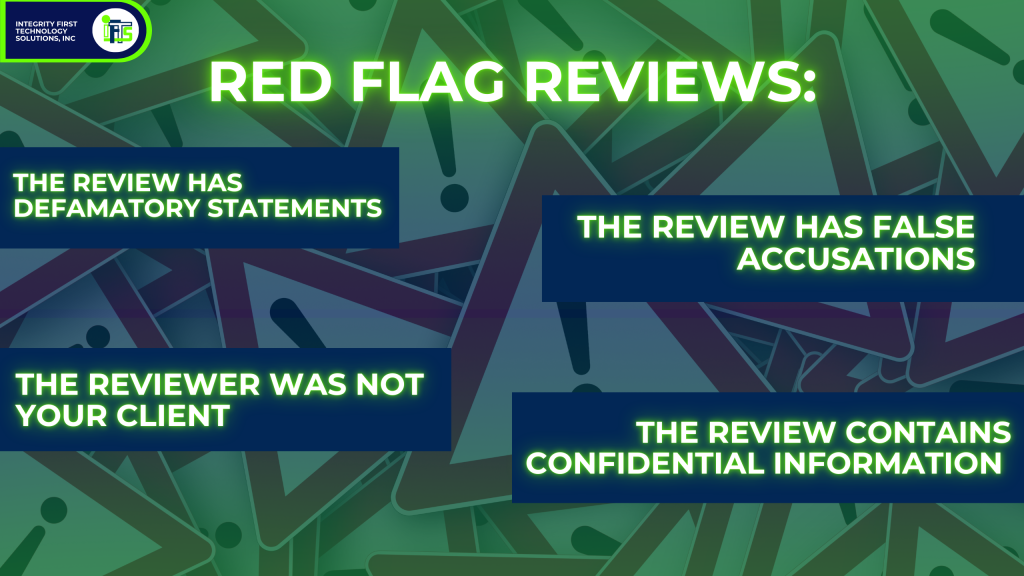
There are reviews that should not have a public response.  This is because it is likely to make the situation worse.  Here are the red flags that you should look for in a review that should NOT be responded to:

  • 🚩The review has defamatory statements
  • 🚩The review has false accusations
  • 🚩The reviewer was not your client
  • 🚩The review contains confidential information that you cannot ethically acknowledge

If any red flags appear, you’ll want to either:

As an example:

A law firm client of ours once received a false review from someone who was never a client. Instead of engaging in a public argument, they flagged the review, provided Google with documentation, and had it successfully removed.
Look at Negative Reviews as an Opportunity, Not a Problem

Remember, one bad review will not ruin you or your firm.  However, how you handle it can actually help you get MORE clients!

A single bad review won’t ruin your firm. But how you handle it can either build trust or drive clients away.  So always stay professional, show empathy and move the conversation offline.

Review all of your firm’s recent reviews and create a strategy for responding!

🔜 Next Up: How to turn your reviews into a powerful marketing tool that attracts high-value clients.

How to Turn Your Reviews Into Marketing Gold

Stop looking at your reviews as client feedback; instead, use them as a tool to help grow your business.

Your reviews are marketing gold. 

When using your reviews strategically, you can:

  • Enhance your reputation
  • Help you attract high-value clients
  • Improve your website’s Google ranking
  • Build your credibility with potential clients (before they even call you)

It’s similar to word of mouth marketing, but on a larger scale – they are available 24/7 and can influence everyone that is researching your firm.

So, let’s talk about how to use your reviews to help you get more clients!

Get an SEO Boost: How Reviews Help You Rank Higher on Google

The major search engines, like Google and Bing, love to see fresh (new) content.  

Did you know that reviews and review responses count as new content?

This means that Google will prioritize the law firms that respond to their reviews.  This engagement, along with the actual reviews themselves, will improve your local search ranking

Reviews Help Highlight Success Stories: Show, Don’t Just Tell

Have you ever noticed that most law firm websites say they offer “experienced, dedicated and results-driven” services?

However, your savvy prospects will know that this text is just marketing copy.  

How do we convince them easily?

Two words – client testimonials.

Client testimonials allow you to “toot your own horn” without you having to say anything.

So, where exactly do you showcase your best reviews?

  • Website: Put the reviews on your homepage, services page, about us page and be sure to have a “Client Testimonials” page on your website, as well
  • LinkedIn: Share screenshots of each review you receive and pin your favorite to the top
  • Social Media: Use quotes from the review and turn them into engaging graphics – Want a free set of Canva templates for this task and directions on how to use them in 5 minutes?  Check out our free templates here!
  • Email Footers: Add a great review to your email signature
  • Newsletters: Highlight a review in a section of your newsletter

Video Testimonials: The Most Powerful Social Proof

As we have said over and over – written reviews are great!

However, there is a trump card – the video review!

Why?

People trust other people, they want to see faces and form an emotional connection.  It’s very authentic.  This is why video outperforms text every time.  

Now, you may be wondering…How do I get clients to record a great video testimonial?

It is actually pretty easy.  Here’s the best way:

Some people may not want to be on video.  

That’s fine, ask to record their voice.  Then, use that sound bite and overlay it on a graphic.

Want to know how to do this quickly?

Check out our video on how to put this together in under 10 minutes here. 

How To Automate the Review Process: Get More Reviews Without Extra Work

The problem that most attorneys have with reviews is that they just don’t ask.

Let’s take care of that and make it so you never have to remember to ask with AUTOMATION!

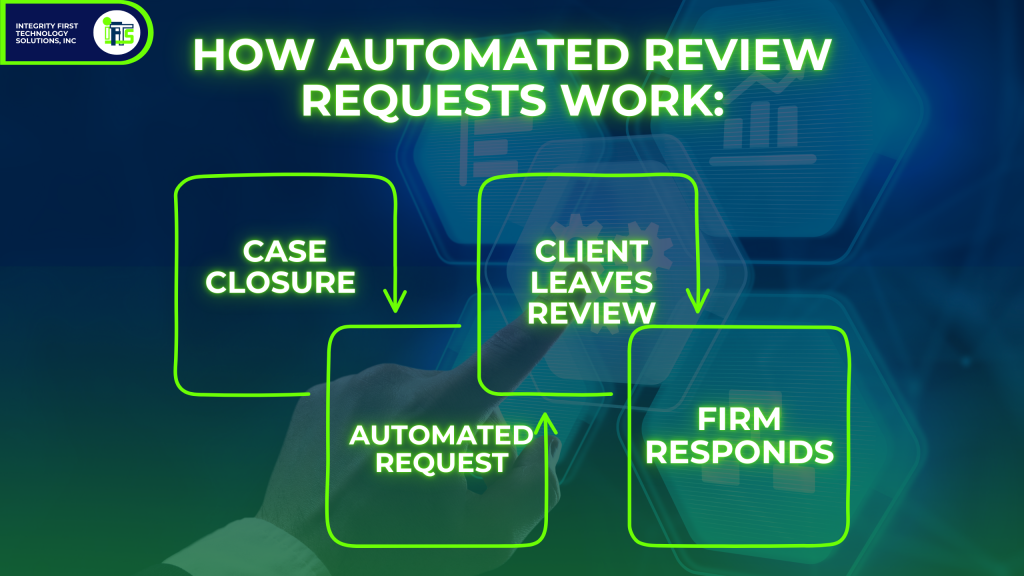
Automation makes this easy.  After you close a case, you can send an automatic review request via text message and email.  The request should have a link that they can click on and it takes them directly to be able to leave a review.  Make it as easy as possible for them.

Here are some tools that you can use for automating review requests:

GoHighLevel – Sends automated review requests via text or email.
Podium – Helps streamline client communication and review gathering.
Birdeye – Manages reviews across multiple platforms.
Make Sure That Reviews Work for Your Firm

Remember, you need to use your reviews as a marketing asset:

  • They will boost your SEO and make your firm easy to find
  • They showcase your firm’s strengths to potential clients
  • They provide credibility and build trust instantly
  • They can be automated, so you get more reviews

🔜 Next Up: Conclusion—Bringing it all together and giving your firm a clear action plan for managing and leveraging online reviews.

Your Law Firm’s Online Reputation is in Your Hands

If you get only one thing from this article, it should be this: Online reviews are not just feedback—they are a direct reflection of your firm’s reputation and your ability to attract high-value clients.

  • Positive reviews reinforce credibility, build trust, and serve as social proof for prospective clients.
  • Negative reviews, when handled strategically, can actually enhance your reputation by showing transparency, responsiveness, and a commitment to client satisfaction.
  • Consistently managing reviews gives your firm a competitive edge—boosting your Google ranking, increasing inbound inquiries, and strengthening your brand.

Take Action Now & Own Your Firm’s Reputation

Now that you understand the power of reviews, here’s a checklist to get started:

  • Monitor Your Reviews: Be sure that you are alerted when there is a new review so you can stay on top of feedback
  • Respond Strategically: Follow our formulas to reply with thoughtful responses that showcase your professionalism
  • Set Up Automation: Use a tool like GoHighLevel to collect and manage your reviews on autopilot

Need Help? Let’s Talk.

Reputation management doesn’t have to be overwhelming. 

If you want to automate your firm’s review strategy and ensure every review—good or bad—works in your favor, let’s discuss a plan that fits your needs.  Complete the form below to set up a 15-minute meeting with us.
How to Set Up a Review System like Birdeye or ReviewLead using GoHighLevel Automation: Step-by-Step Guide

Collecting customer feedback is essential for any business that wants to grow and build credibility. Reviews not only help potential customers make informed decisions but also improve your business’s reputation. But manually managing reviews can be time-consuming. That’s where automating the review process comes in. In this blog, we’ll walk you through setting up an automated review system in GoHighLevel to streamline feedback collection, manage negative experiences, and boost your positive reviews.

Let’s dive into the step-by-step process of setting up this system to automatically gather and manage reviews for your business.

Creating a Custom Review Link

The first step to automating your review process is creating a custom review link that you can share with your customers. This link will direct them to your review page.

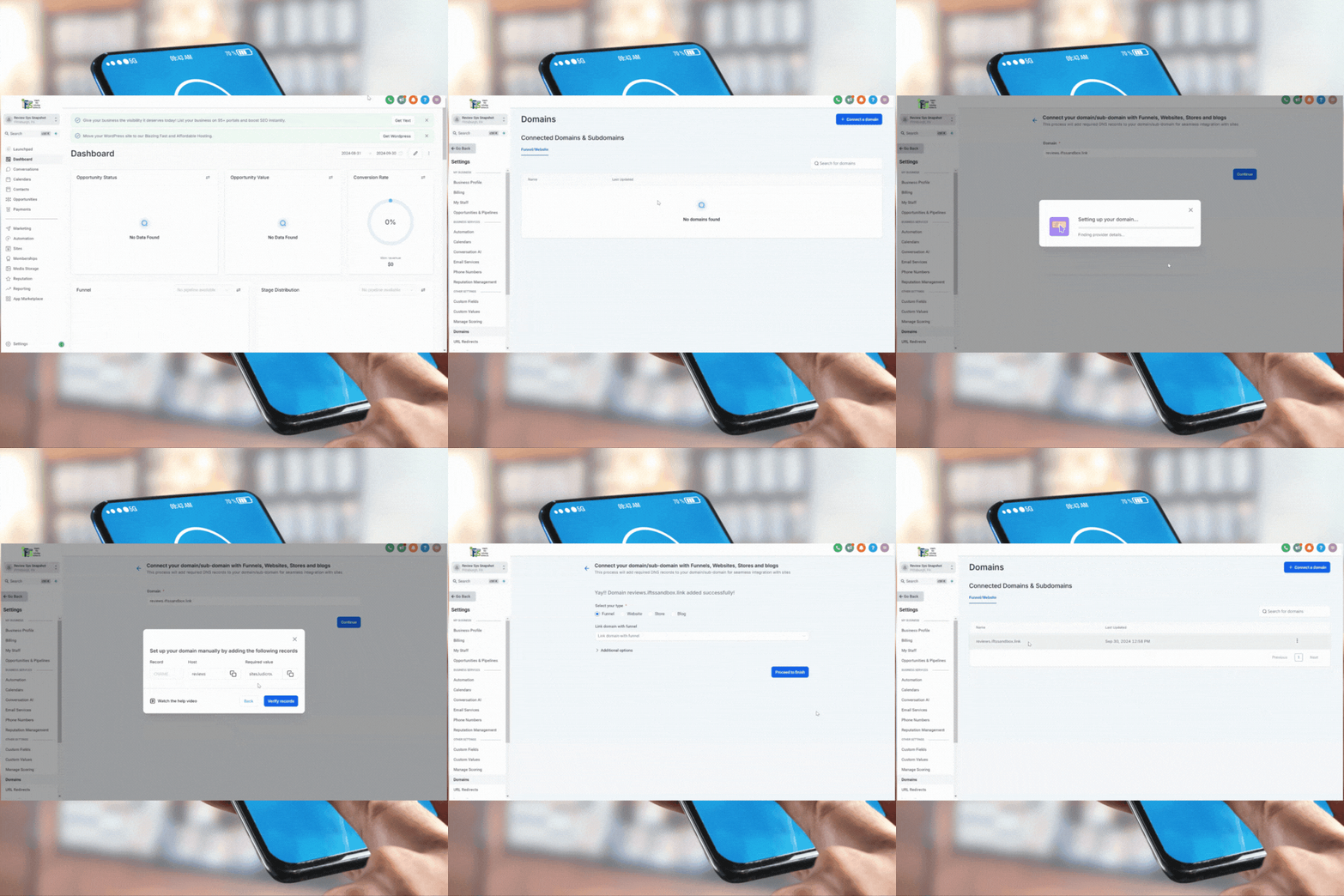
  1. Log into your GoHighLevel account.
  2. Navigate to Settings and click on Domains.
  3. Add a subdomain specifically for reviews. We recommend using something like reviews.yourdomain.com.
  4. Verify the DNS settings with your provider (e.g., GoDaddy, Namecheap) by adding the required CNAME record. Once verified, your domain is ready for use.

Designing a Thumbs-Up/Thumbs-Down Review Page

Next, you’ll need to create a simple review page where users can indicate if they had a good or bad experience. This will allow you to filter feedback based on customer satisfaction.

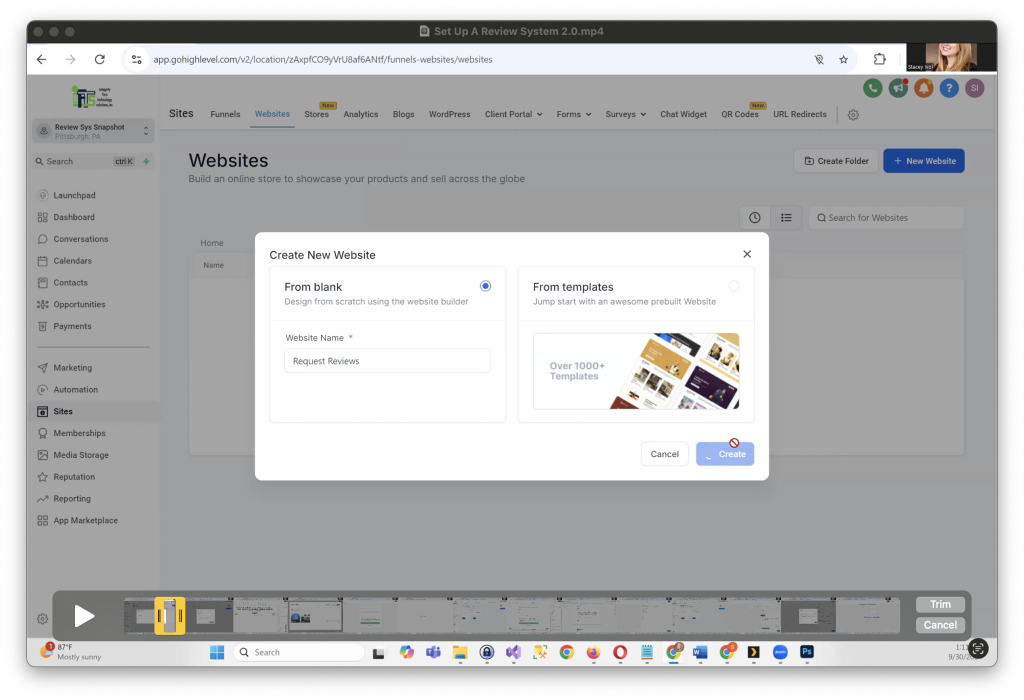
  1. Go to Sites > Websites and create a new page.
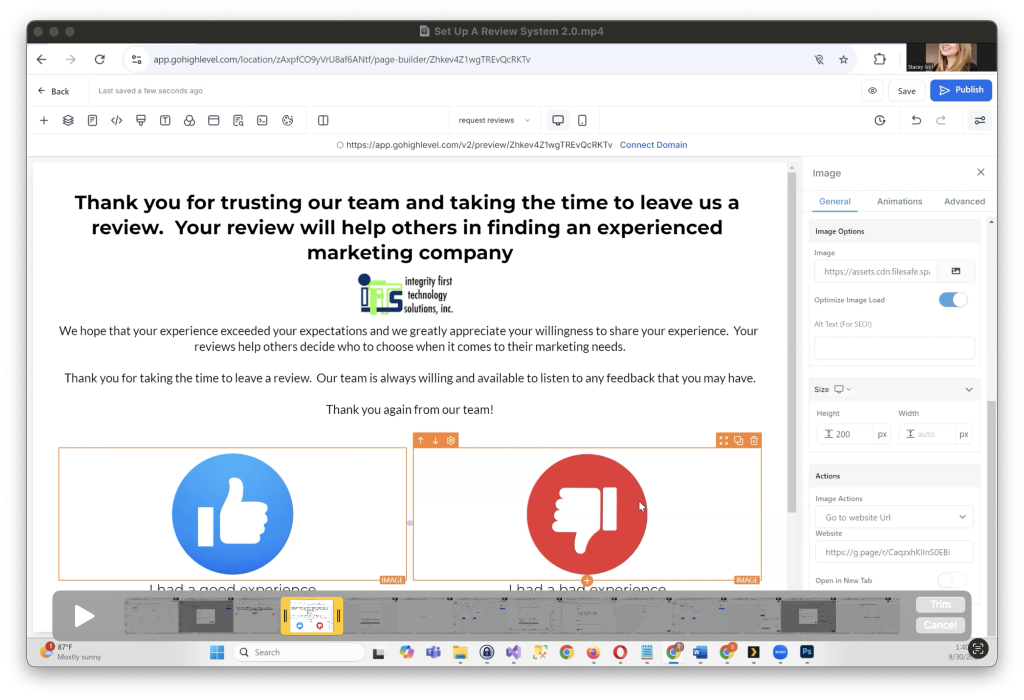
  2. Design the page with two simple buttons: Thumbs-Up for positive feedback and Thumbs-Down for negative feedback.
  3. Add a thank-you message above the buttons, expressing appreciation for their time.

Example text: “Thank you for choosing us! Your feedback helps others find trusted businesses like ours.”

Redirecting Positive Reviews to Google

If a customer clicks on the thumbs-up button, you’ll want to direct them to leave a review on your Google Business profile.

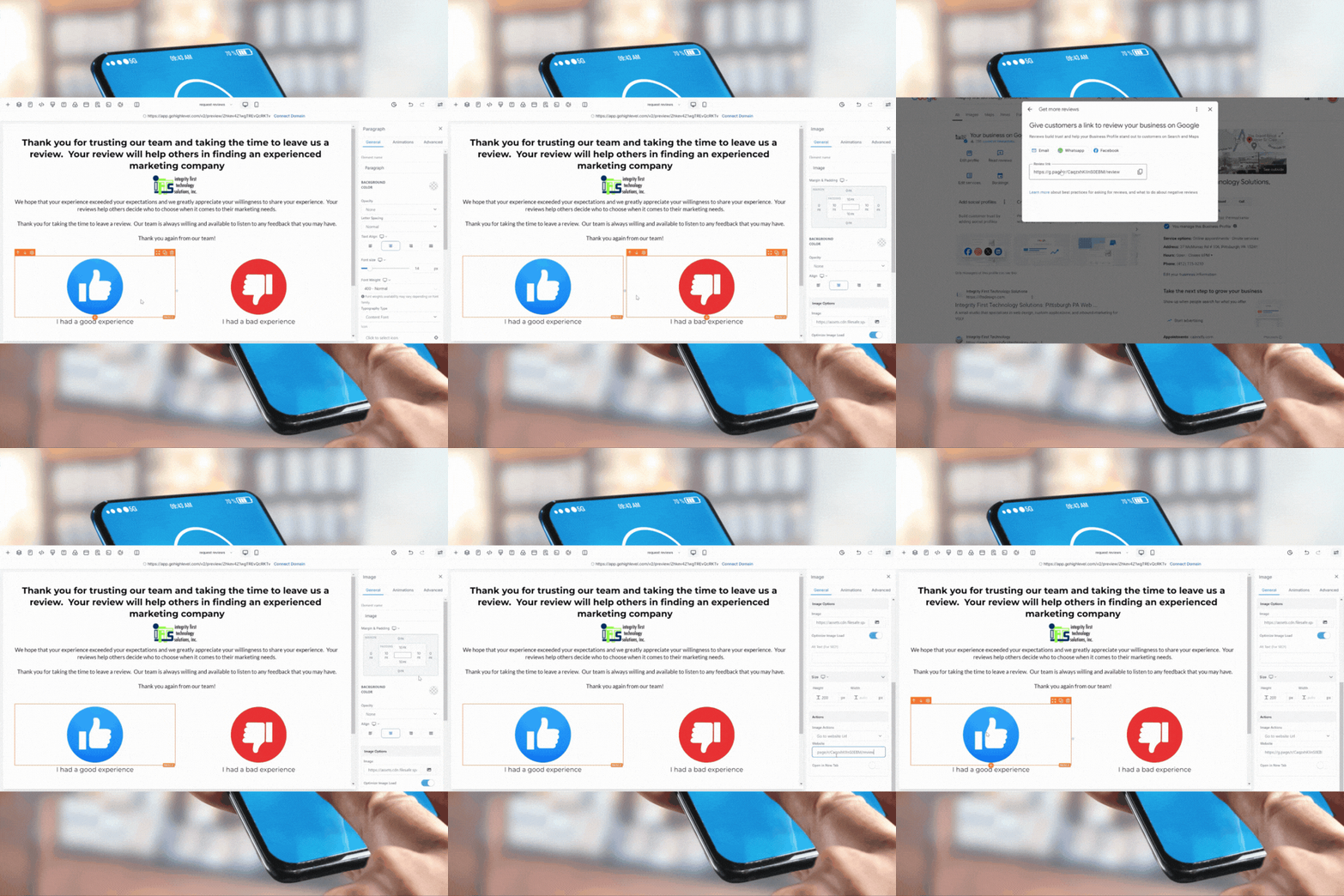
  1. Go to your Google Business Profile and copy the direct link for leaving a review.
  2. In GoHighLevel, select the thumbs-up button, set the action to open a URL, and paste the Google review link.
  3. Save your changes.

Now, anytime a customer has a positive experience, they’ll be directed to leave a review on Google!

Creating a Bad Experience Feedback Page and Staying Google Compliant

One of the most important steps in building an automated review system is handling negative feedback effectively. For this, GoHighLevel allows you to create a separate page for customers to share their bad experiences, ensuring you receive private feedback and maintain Google compliance.

Step 1: Create a "Tell Us About Your Bad Experience" Page

After setting up your main review request page, it’s time to add a dedicated page for customers who didn’t have a positive experience. Here’s how to do it:

  1. Navigate back to Websites in GoHighLevel, and select the Request Review site.
  2. Create a new page named “Tell Us About Your Bad Experience.” You can create the URL path as something like /sorry/tell-us-more to keep it simple.
  3. For the design, start with a blank, full-width layout. Add a single-column section where you’ll include your logo and a headline, such as:
    • “Please tell us about your experience with our company.”

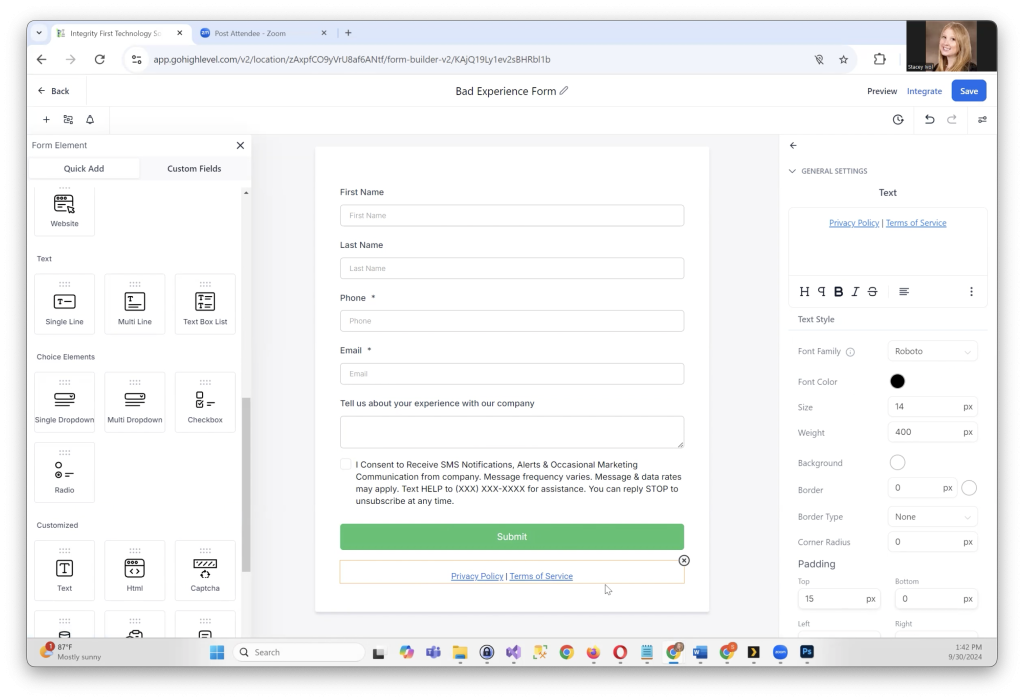
Step 2: Add a Feedback Form

ext, you’ll need to collect detailed feedback about their bad experience. Here’s how to add a form:

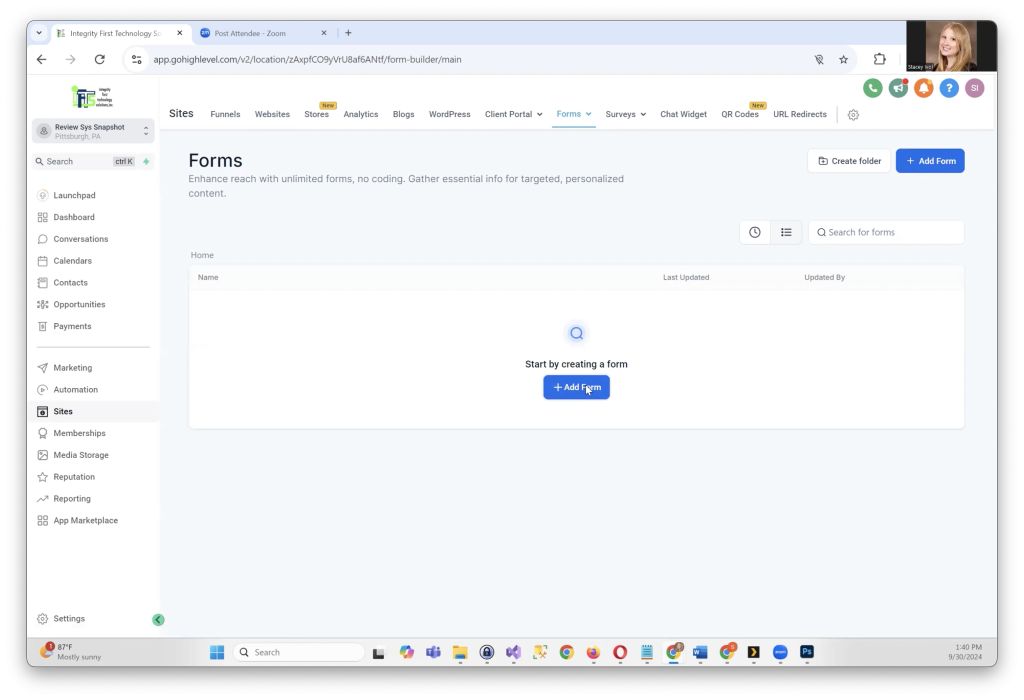
  1. Add a form element to the page that asks for basic information, such as First Name, Last Name, Phone, Email, and a multiline text box for them to describe their experience.
  2. Customize the form’s submit action by selecting Form Builder, then under Options, set up a message that thanks the customer for completing the form. Example message:
    • “Thank you for taking the time to share your feedback. A member of our team will be in touch shortly.”

This ensures the customer feels heard and reassures them that their concerns are being addressed.

Step 3: Linking the Bad Experience Option

After creating the feedback page, link it to the “I had a bad experience” button on your main review page. Follow these steps:

  1. Copy the URL of your bad experience page.
  2. Edit your main review request page, go to the “I had a bad experience” image, and set the action to go to website URL.
  3. Paste the URL of the bad experience page and save your changes. Now, when a customer clicks on “I had a bad experience,” they’ll be directed to your feedback form.

Step 4: Staying Google Compliant

Google requires that all customers, including those with bad experiences, be given the option to leave a public review. To comply with this:

  1. On the bad experience page, add a text link at the bottom that says:
    • “No, thank you. I would like to leave a review.”
  2. Link this text to your Google review page. Be sure to open the link in a new window, so customers don’t lose their place on your feedback form.

Step 5: Publish and Test

Once you’ve set up everything, preview your pages to ensure they function correctly. Customers should be able to navigate smoothly between the review request page and the bad experience page. For the final step, publish your changes and test the system.

With this setup, you’ve created an effective way to privately manage negative feedback while still complying with Google’s requirements for review collection.

By ensuring that negative feedback is handled internally while still allowing customers to publicly review your business, you can address concerns privately and maintain your reputation. This is a critical component of building trust with your customers and ensuring you’re continuously improving.

Creating Review Request Automations

Now that your review pages and forms are set up, it’s time to implement automations that will simplify the process of collecting reviews. Automations help you send reminders and requests without manual effort, ensuring that you stay engaged with your customers and gather more reviews.

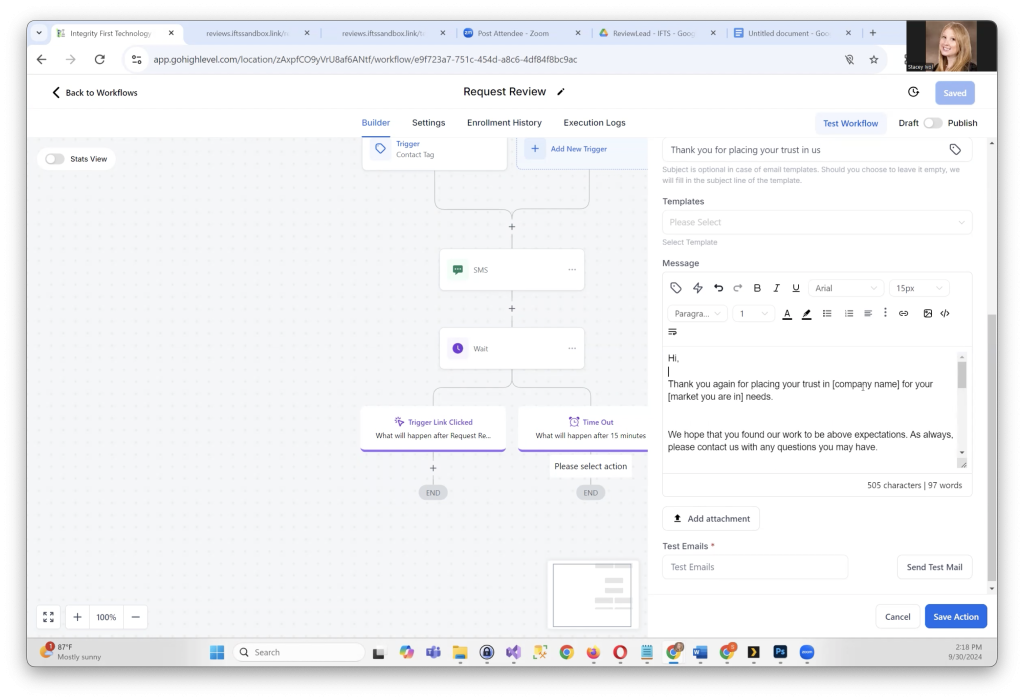
1. Creating the Review Request Emails and SMS

To keep your review requests polite but effective, we recommend sending three emails and one SMS over the course of a few days. Here’s a breakdown of what each email and text message should include:

  • Email 1 (Day 1):
    Subject: Thank you for placing your trust in us
    Body:
    • Thank the customer for their business and offer to answer any questions they may have.
    • Ask them to take a moment to leave a review and provide a direct link to the review page.
    • Example: “Would you take a moment to review us at the link below? Your review will help others find the best service for their needs.”
  • Email 2 (Day 3):
    Subject: Just a reminder and a thank you
    Body:
    • Remind the customer about your review request and thank them again for their trust.
    • Reiterate how their review will help others in the market find your services.
    • Include the review link again.
  • Email 3 (Day 6):
    Subject: One last reminder
    Body:
    • Let the customer know that this is the final reminder and that you won’t send any more review requests.
    • Provide the review link and mention how their feedback helps others.
  • SMS (Day 1):
    Message:
    • Keep it short and simple: “Hi, [Company Name] here. Just wondering if you could take a moment to leave us a review. [Insert Link]”

Each email and SMS should include a review link to make it easy for customers to click through and leave their feedback.

2. Automating Review Requests

Now that your messaging is ready, it’s time to build the automations in GoHighLevel:

  • Step 1: Create a Workflow
    Go to Automation > Create Workflow, and start from scratch. Name this workflow something like “Review Request Automation.”
  • Step 2: Trigger the Workflow
    You can trigger the workflow by adding a tag to the customer’s profile after they’ve completed a service with you. For example, you can create a tag called “Request Review.” When the tag is added, the workflow starts.
  • Step 3: Send the SMS
    Once the workflow starts, send the first SMS message, asking the customer to leave a review.
  • Step 4: Wait for 15 Minutes
    Add a 15-minute wait to see if the customer responds by clicking the review link. If they do, the automation ends. If not, proceed to the next step.
  • Step 5: Send Email 1
    If the customer hasn’t clicked the link in the SMS, send the first email request with the review link.
  • Step 6: Wait for 3 Days
    Wait for three days to see if the customer clicks the review link in the email.
  • Step 7: Send Email 2
    If they haven’t left a review yet, send the second email reminding them to review your business.
  • Step 8: Wait for 3 More Days
    Wait another three days to give the customer time to click the review link.
  • Step 9: Send Email 3
    Send the final reminder, letting the customer know it’s their last chance to leave a review.

3. Creating Trigger Links

To stop sending review requests once a customer has completed a review, you need to create trigger links:

  • Step 1: Go to Marketing > Trigger Links, and add a link to your review page.
  • Step 2: Name the link something like “Request Reviews” and save it.
  • Step 3: Use this trigger link in your emails and SMS messages. When the customer clicks on it, the automation will stop sending further review requests.

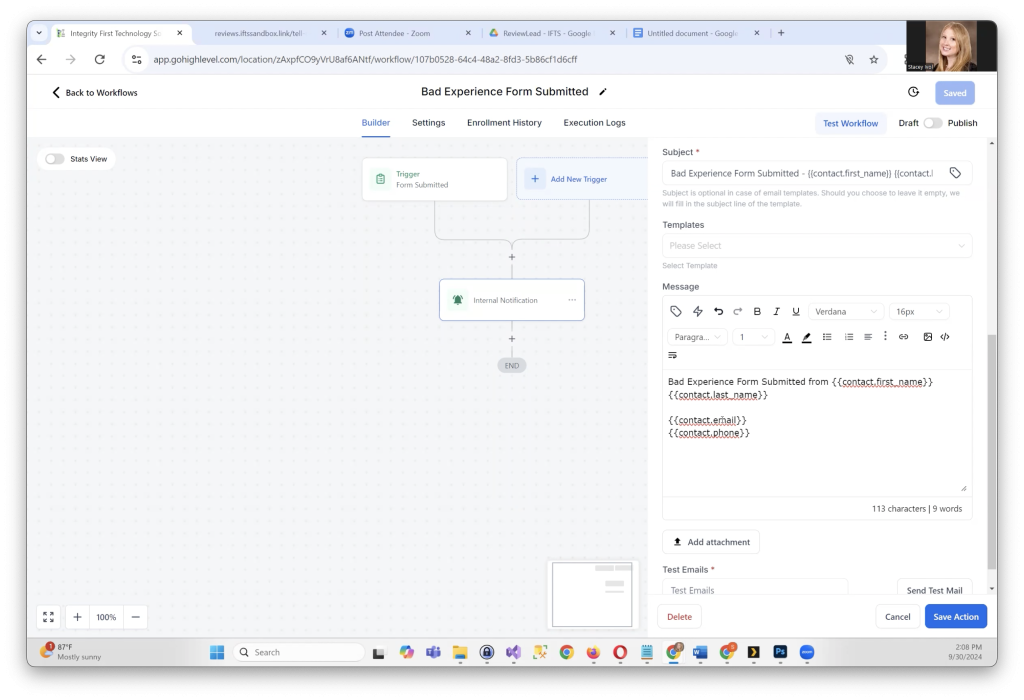
4. Internal Notifications for Bad Experiences

Finally, set up a separate workflow for handling bad experiences:

  • Step 1: Create a new workflow called “Bad Experience Submitted.”
  • Step 2: Set the trigger as the submission of the bad experience form.
  • Step 3: Assign an internal notification to alert your team when someone submits the form. The notification can include the customer’s name, email, phone number, and their feedback so your team can follow up quickly.

Launch Your Review Request System

Once you have your workflows, trigger links, and messaging set up, your automated review request system is ready to go. Now, you can start tagging customers and collecting reviews effortlessly, all while handling negative feedback with care.

With everything in place, your business will enjoy more customer reviews and valuable feedback, which can help boost your online presence and improve customer satisfaction!

Three Simple Steps To Take To Get More Free Leads From Google

Would you like to get more free leads from Google?

I think that most business owners would answer “Yes!” to that question.

So, how do you do it?  How can you, as a small business owner, get more free leads from Google?

By doing the following 3 things within your Google Business Profile (GBP), you can get more free leads for your business:

  1. Provide More Images
  2. Respond To Reviews
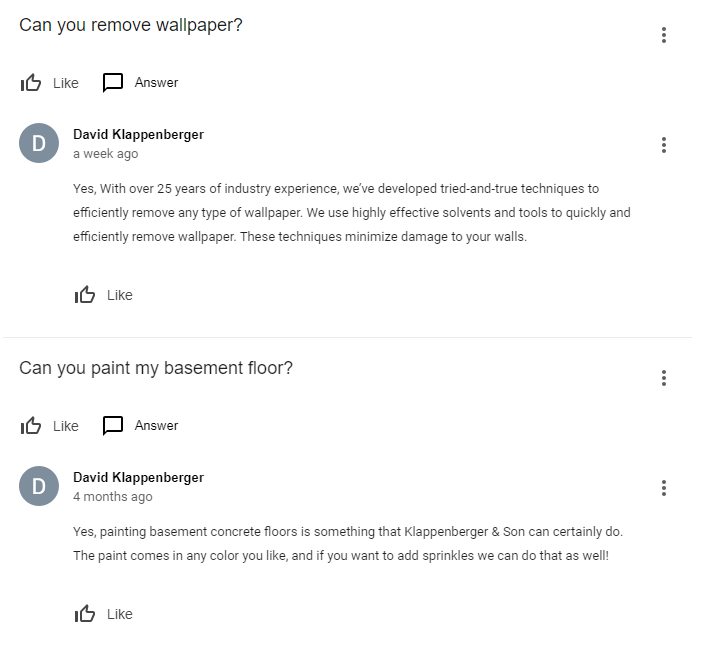
  3. Use the Q&A section

In this article, we will cover how to easily do these 3 things and WHY they work.

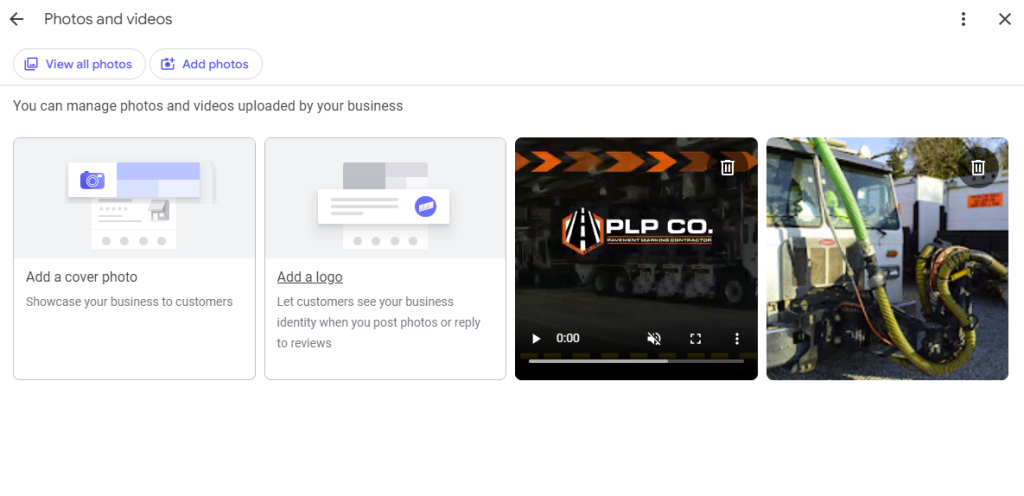
1 - Importance of Adding Images to Your Google Business Profile

Adding images to your Google Business Profile is crucial for several reasons, particularly in enhancing your business’ online visibility and engagement with potential clients. Regularly updating your profile with new photos can significantly improve your ranking in Google’s local search results, specifically in the most sought after Google Three Pack results. 

This section often draws the highest click-through rates because visual content grabs attention faster than plain text listings. By showcasing high-quality images from your company, you provide a visual tour to potential clients, which helps in building trust and authenticity before they even walk through your door.  It also helps you get more free leads!

What Types of Pictures To Use In Your GBP

The types of pictures to upload can vary, but each serves a purpose in enriching your profile’s appeal. 

Interior shots of your office give viewers insight into your working environment, which can be particularly persuasive if your spaces are well-maintained and professionally appointed. 

Exterior photos help clients locate your business easily, reducing frustration on their initial visit and improving their overall experience. 

Photos of your team are equally important as they put faces to names, personalizing your business and making clients feel more connected to your company. 

Additionally, images from events or everyday business activities can showcase your company’s community involvement.

Client-Generated Imagery and Its Impact

Encouraging clients to upload their own images can further augment your profile’s effectiveness. Client-generated photos add an element of verification and trust, showing prospective clients the real people and stories behind your services. 

Although incentivizing reviews is against Google’s policies, inviting clients to share their visual experiences is permissible and can lead to a richer, more engaging profile. These images not only enhance your profile’s authenticity but also improve its freshness score on Google, potentially boosting your search rankings and visibility. 

Together, these strategies for adding various types of pictures to your Google Business Profile leverage visual content for better search engine placement, richer client engagement, and ultimately, a stronger online presence for your business.

2 - Leveraging the Q&A Section of Your Google Business Profile

Utilizing the Q&A section on your Google Business Profile is an important tool for enhancing visibility and engaging directly with potential customers. 

This feature allows the public to ask questions directly on your profile, which you or your team can answer. By actively participating in this section, you not only provide valuable information but also increase the interaction rate on your profile. 

Each question and answer adds relevant content to your page, which improves SEO by naturally incorporating keywords associated with your business. This ongoing interaction signals to Google that your profile is active and relevant, boosting your visibility in search results and thereby drawing more potential free leads.

Types of Questions and Strategic Responses

The range of questions that can be asked in the Q&A section is vast, but focusing on relevance and quality is key. 

Potential customers might ask about specific products, such as “What limits should I get for my professional liability insurance?” or seek advice on services, for example, “Do you offer installation services for outdoor lighting?” 

These inquiries provide an excellent opportunity to use keywords strategically. Responses should be detailed and crafted with SEO in mind, utilizing synonyms and related terms that enhance your profile’s searchability. By addressing these questions thoroughly, you not only establish authority and trust but also improve the chances of your profile appearing for related searches.

Enhancing Engagement and Conversion Through Q&A

The Q&A feature serves as a pre-purchase touchpoint, where potential customers can gauge the responsiveness and helpfulness of your business. This interaction plays a crucial role in the customer’s decision-making process.  A prompt and informative response can significantly sway their choice to engage with your products or services. 

Additionally, by curating a list of commonly asked questions and populating the Q&A with these queries and answers, you preemptively address customer concerns, which reduces barriers to purchase and can lead to higher conversion rates. Engaging with users through the Q&A not only enhances your profile’s performance in terms of SEO but also builds a foundational relationship with prospective customers by providing them with immediate value.

Through the strategic use of the Q&A section on your Google Business Profile, you can significantly enhance your online presence, attract more leads, and build stronger relationships with potential customers, all of which contribute to the growth and success of your small business.

3 - The Importance of Responding to Reviews on Your Google Business Profile

Responding to reviews on your Google Business Profile is an essential practice for any small business aiming to enhance their online reputation and attract more customers. 

Whether the reviews are positive or negative, each response you craft should be thoughtful and personalized. This not only shows that you value customer feedback but also demonstrates your commitment to customer service—a critical factor that potential customers consider when choosing which business to support. 

Google itself has indicated that interaction with reviews can influence your local search ranking, which underscores the importance of this practice. By engaging actively with reviewers, you enhance the likelihood that your business profile will appear more prominently in search results, thereby increasing visibility and potentially attracting more free leads.

How to Effectively Respond to Reviews

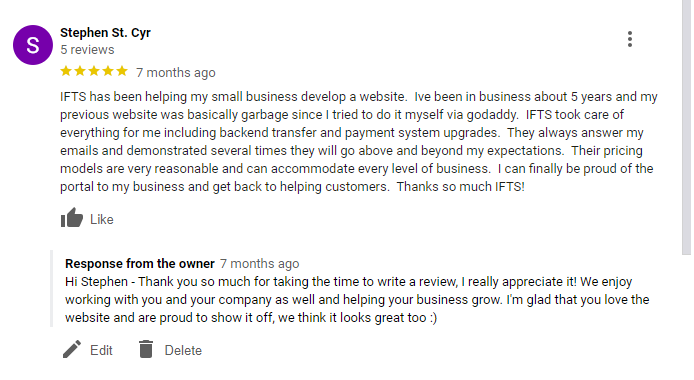
When responding to reviews, it’s important to address the reviewer in a personal and professional manner. For positive reviews, express gratitude and reinforce any specific compliments with additional commentary that reinforces your business’s values or practices, such as: 

Hi [reviewer name], we had a great time painting your living room and kitchen!  It looks so nice and you picked out such a great turquoise for the accent wall.  Please keep us in mind for any future painting needs.

For negative reviews, maintain professionalism and calm; apologize where appropriate, and offer to resolve the issue offline. This approach not only mitigates the negative impact of such reviews but also displays a proactive attitude towards customer satisfaction, which can be very appealing to prospective clients.

Boosting Leads Through Strategic Review Responses

Strategically responding to reviews can significantly influence your business’s lead generation efforts. A well-managed Google Business Profile with regular, thoughtful responses to customer reviews will likely cultivate a positive online presence, encouraging more customers to choose your service or product. 

Responses to reviews provide an opportunity to use relevant keywords that improve SEO and increase the visibility of your profile in search results. When potential customers see a business actively engaging with its clients and caring about their feedback, it not only boosts the business’s credibility but also enhances its attractiveness, leading to increased customer interest and more free leads.

Overall, the act of responding to reviews is a powerful tool that serves multiple functions: it improves search rankings, helps manage public perceptions, and enhances customer relations—all of which are essential for driving more traffic to your business and securing a higher conversion rate from potential leads to loyal customers.

BONUS – If you don’t have a lot of reviews yet and would like to set up a system, check out our article on getting more reviews here.

Start Getting More Free Leads From Google Today

Implementing the three strategies outlined in this article—adding images, engaging through the Q&A section, and responding to reviews on your Google Business Profile—can significantly increase your small business’s online visibility and free lead acquisition from Google. 

By effectively managing these 3 things, you not only enhance your profile’s appeal and searchability but also establish a robust online presence that attracts and retains customers. 

Each of these elements serves to build trust and credibility. These interactions not only improve your Google search rankings but also make your business stand out as responsive and customer-focused. 

Adopting these practices will not only help in getting more free leads but also in converting those leads into loyal customers, fostering long-term success for your business. Remember, the digital footprint of your business is often the first impression potential customers will have, so make it count by optimizing your Google Business Profile with these effective strategies. 

Embrace these techniques today, and watch as your business grows its online presence and customer base organically.