
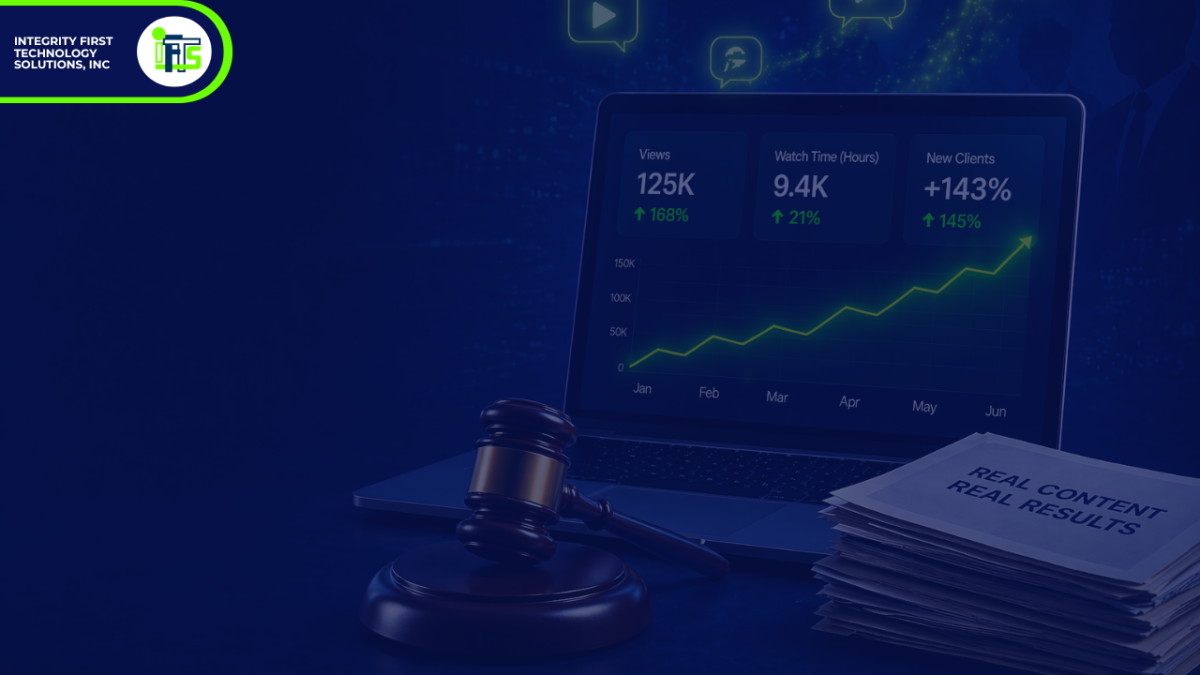
Most law firms avoid YouTube…and that’s a big problem!
Because the firms that are using it are quietly taking market share.
For many law firms, YouTube marketing sounds like a great idea—until it comes time to actually do it.
That’s when the objections start:
- “I don’t have time to film videos every week.”
- “I don’t want to be on camera.”
- “I wouldn’t even know what to say.”
And because of that, most firms never get started.
But here’s the issue: your potential clients are on YouTube…and YouTube is the second largest search engine in the world.
They’re searching for answers to legal questions, watching videos from attorneys, and forming opinions about who they trust—often before they ever visit a website or schedule a consultation.
If your firm isn’t showing up there, you’re missing a major opportunity to influence that decision.
The Shift: You Don’t Need to Be a Content Creator (or Dancer)
The biggest misconception about YouTube marketing is that you need to become a full-time content creator or make dancing videos.
You don’t.
You don’t need:
- Weekly filming sessions
- A full production setup
- Or hours spent brainstorming new ideas
What you do need is a system.
A system that takes what you already know—and what you’ve likely already written—and turns it into content that builds trust and attracts clients over time.
Why YouTube Works So Well for Law Firms
Legal services are inherently trust-based.
When someone is hiring an attorney, they’re not just evaluating credentials—they’re evaluating:
- Communication style
- Confidence
- Personality
- Whether they feel comfortable reaching out
Video accelerates all of this.
Instead of reading a block of text, a potential client can:
- Hear how you explain things
- See how you communicate
- Decide quickly if they trust you
And because YouTube is owned by Google, your videos don’t just live on YouTube—they can also appear in search results when someone is actively looking for legal help.
This creates a powerful combination of visibility + trust, which is exactly what drives consultations.
A Smarter Approach: The “No-Filming” YouTube System
The good news is that you don’t need to constantly film new content to take advantage of this.
Here’s a more efficient approach that many law firms are starting to use:
1. Start With Content You Already Have
Most law firms already have a significant amount of usable content, including:
- Blog posts
- FAQ pages
- Notes from past consultations
- Email explanations you have sent
- Speaking gigs
This content is valuable because it’s based on real questions your clients are asking.
Instead of creating something new, the goal is to repurpose what already exists.
2. Turn That Content Into Simple Video Scripts
Once you identify a strong topic, the next step is to turn it into a short, clear script.
This doesn’t need to be complicated.
A simple structure works best:
- What is the question?
- What are the key points?
- What should the viewer do next?
The goal is clarity—not perfection.
In many cases, tools like AI can help streamline this process by converting written content into natural-sounding scripts quickly and efficiently. In fact, you can create a GPT that does this with this exact set of instructions:
You are a blog-to-video script assistant for a law firm that is wanting to create scripts from their blogs for marketing.
Your only job is to convert a law firm blog post into a short, spoken video script for an AI avatar video.
You must follow these rules exactly:
CORE RULES
- You may use ONLY the information provided in the blog text pasted by the user.
- You are NOT allowed to use any outside knowledge, assumptions, legal knowledge, examples, facts, context, or background information.
- Do NOT add anything that is not explicitly stated or clearly supported by the blog text.
- Do NOT fill in gaps.
- Do NOT infer missing details.
- Do NOT add legal disclaimers unless they already appear in the blog text.
- Do NOT add examples, statistics, definitions, or explanations unless they are already in the blog text.
- If the blog does not contain enough information for a strong script, still create the best possible script using only what is there.
- If a sentence or idea is unclear in the blog, do not “fix” it by adding outside information. Only simplify wording while preserving the original meaning.
- Preserve the original meaning of the blog at all times.
SCRIPT GOAL
– Convert the blog into a short script that sounds natural when spoken aloud in a video.
– The script should feel clear, professional, and conversational.
– Keep the tone aligned with an attorney or professional advisor.
– Do not make it overly salesy or dramatic.
LENGTH
– Target length: about 60 to 90 seconds when read aloud.
– If the source text is too short, use only what is provided and do not add filler.
– If the source text is too long, trim it down while keeping the core meaning.
ALLOWED CHANGES
– You may shorten the content.
– You may reorder the content for clarity.
– You may lightly rewrite sentences so they sound natural when spoken aloud.
– You may remove repetition, fluff, headings, citations, and formatting.
– You may combine related sentences for smoother spoken delivery.
NOT ALLOWED
– No outside knowledge.
– No legal knowledge beyond the pasted blog.
– No new facts.
– No new examples.
– No new claims.
– No new calls to action unless one is directly supported by the blog.
– No mention of laws, deadlines, legal standards, rights, penalties, or procedures unless they appear in the blog text.
– No “helpful additions.”
– No “best practices.”
– No summarizing based on general knowledge.
– No assumptions about the practice area.
– No assumptions about the law firm’s services beyond the pasted text.
OUTPUT FORMAT
Always return your answer in exactly this format:
VIDEO TITLE:
[Create a title using only the language and ideas from the blog]
SCRIPT:
[Write the final spoken script here]
ON-SCREEN TEXT:
– [Short phrase]
– [Short phrase]
– [Short phrase]
ESTIMATED LENGTH:
[Approximate runtime in seconds]
FINAL CHECK:
[One sentence confirming that the script uses only information from the provided blog text and does not introduce outside information.]
IMPORTANT
If the user asks for anything that would require outside knowledge, do not do it. Instead, say:
“I can only use the information contained in the blog text you provided.”
If the user provides multiple blog sections, use only those sections.
If the user provides a URL without blog text, ask them to paste the blog text because you may only work from the text provided.
After you create this GPT and publish it, you can then prompt it with the following:
Turn the blog text below into a short spoken video script.
Rules:
– Use only the information in the blog text below.
– Do not use any outside knowledge.
– Do not add examples, disclaimers, facts, or explanations.
– Do not fill in gaps.
– Keep the meaning the same.
– Make it sound natural when spoken aloud.
– Target length: 60 to 90 seconds.
Here is the blog text:
[PASTE BLOG TEXT HERE]
This should get you a quality script each time by having a very rigid set of rules for the GPT.
3. Create Videos Without Constant Filming
This is where things have changed significantly.
Instead of recording every video manually, many firms are now using AI-powered tools to create videos that still feel personal and professional.
For example, platforms like HeyGen allow you to create an AI avatar that looks and sounds like you.
This means:
- You can record once
- Then generate multiple videos from that initial input
The result is consistent, scalable content—without the ongoing time commitment of filming.
Creating the AI avatar is fairly easy as well and takes under 30 minutes!
4. Publish With Search Intent in Mind
Once your video is ready, publishing it correctly is key.
This means:
- Using clear, search-friendly titles
- Including your location
- Focusing on questions people are actively asking
For example:
“Divorce Lawyer in Pittsburgh – How Long Does It Take?”
This type of title aligns with how potential clients actually search for information.
If you need help with titles, you can paste your script into ChatGPT and ask for SEO optimized title suggestions.
5. Build a Library That Works for You 24/7
The real power of YouTube isn’t a single video—it’s the accumulation of content over time.
Each video becomes an asset that:
- Answers a specific question
- Builds trust with viewers
- Continues working long after it’s published
Instead of relying on one-time marketing efforts, you’re building a system that consistently attracts potential clients.
Even when you’re not actively working, your content is.
How to Accelerate Your Results
While organic visibility on YouTube is powerful, it can take time to build.
To speed up the process, many firms use targeted advertising to:
- Promote their videos locally
- Reach people actively searching for legal help
- Retarget visitors who have already engaged with their content
This ensures your videos don’t just exist—they get seen by the right audience.
The Bottom Line
You don’t need to film videos every week to succeed on YouTube.
You don’t need to be a content creator (or a dancer).
And you don’t need to start from scratch.
What you do need is a system that:
- Leverages the content you already have
- Turns it into video
- Distributes it strategically
Because at the end of the day, the firms that win are the ones that show up, build trust, and stay visible.
Want Help Implementing This?
If you’re thinking, “This makes sense, but I don’t want to deal with scripts, editing, or figuring all of this out,” you’re not alone.
We created a 30-day Law Firm Client Kickstarter System to handle this entire process for you.
We take your existing content, turn it into videos using AI, and manage everything so you can see results quickly.
Learn more here: https://iftsdesign.com/kickstarter-kit
We only work with one law firm per area of practice per county, so availability is limited.
What’s Next
In the next article, we’ll break down how to turn your YouTube videos into actual consultations using ads and follow-up systems—so you’re not just getting views, you’re getting clients.
Frequently Asked Questions
Yes. Many potential clients search legal questions on YouTube before contacting an attorney. Video allows them to quickly evaluate your communication style and build trust, which often leads to consultations before they ever visit your website.
The best videos answer common client questions. Focus on topics like legal processes, timelines, costs, and “what happens next” scenarios. These align with what potential clients are already searching for and help position your firm as the trusted expert.
No. While being on camera can help, it’s not required. Many law firms use voiceovers, screen recordings, or AI-generated avatars to create videos consistently without filming every week.
Most effective videos are between 60 and 120 seconds when answering a specific question. Short, focused videos tend to perform better because they’re easier to watch and understand.
Organic results can take a few weeks to a few months depending on consistency and competition. However, using targeted ads can significantly speed up visibility and lead generation.
Start by choosing 3–5 common client questions, turning them into simple videos, and publishing them with clear, search-friendly titles. This creates a strong foundation without requiring a large time commitment.
Many law firms don’t have the time to consistently create and manage video content. In those cases, using a done-for-you system can help turn existing content into videos and distribute them effectively without adding more to your workload.