
Why SEO Is Dead and AEO Is the Future for Law Firms

The death of page one?

For decades, search engine optimization (SEO) has been the backbone of online visibility. Law firms invested thousands of dollars optimizing their websites, chasing Google rankings, and building backlinks—all in hopes of landing on the coveted first page of search results.

But here’s the truth: the game has changed.

If your law firm is still playing by the old SEO rules, you risk being left invisible in a world where clients expect one definitive answer delivered instantly by AI.

This shift is called Answer Engine Optimization (AEO). 

In this blog, we’ll explore what AEO is, why it’s replacing SEO, and what your firm needs to do today to future-proof your marketing.

(If you’d rather watch than read, here’s a short video where I break this down:)

From Ten Blue Links on Page One to One Direct Answer

Think back to the early days of Google. 

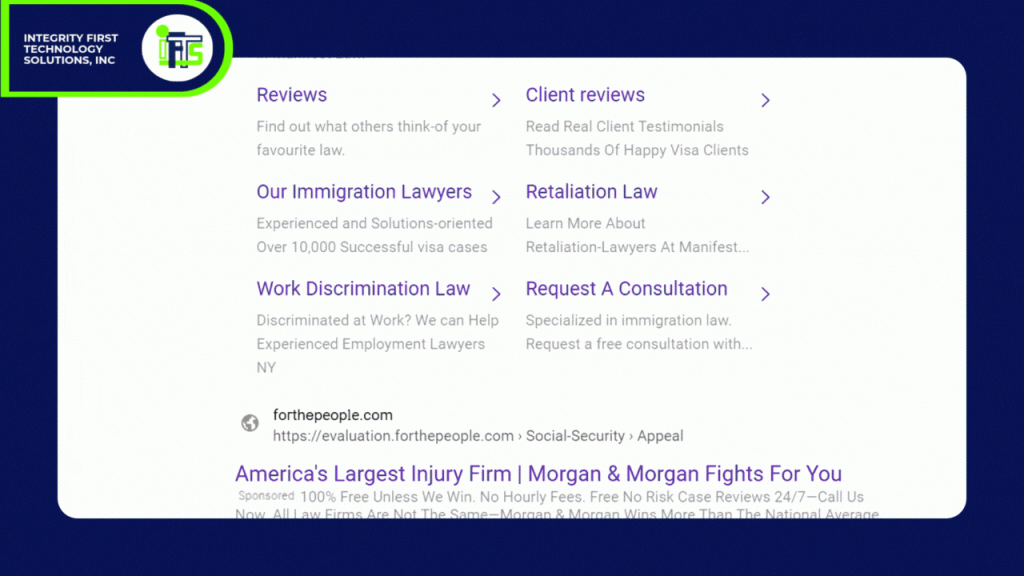
If someone searched “best divorce lawyer near me,” they’d get a non-cluttered page of 10 blue links. 

SEO was about climbing that ladder—optimizing content, adding keywords, and hoping you landed above your competitors.

Fast forward to today where a prospective client asks Siri or Alexa:

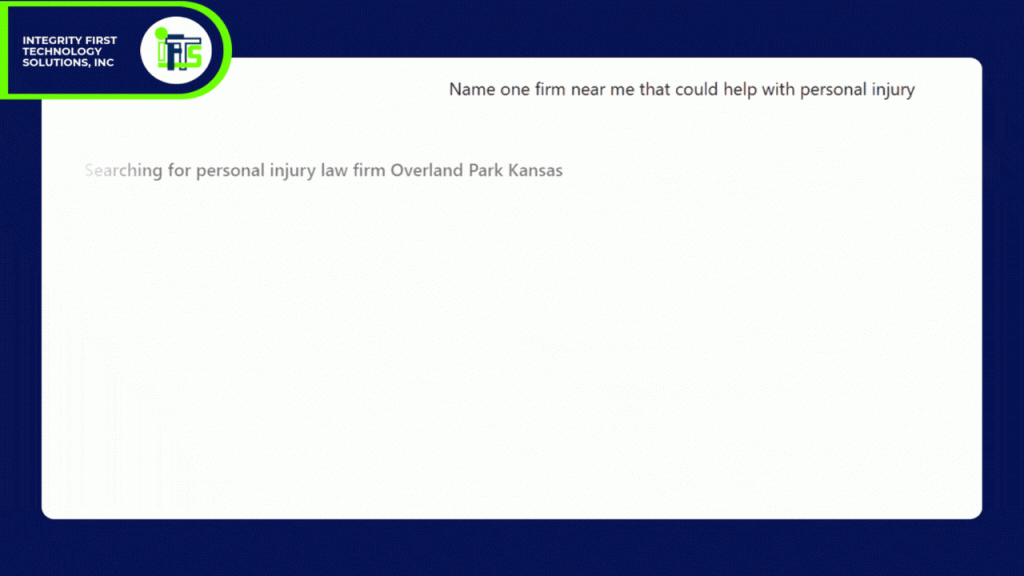
“Who’s the best personal injury attorney in Pittsburgh?”

They don’t get a list. They don’t scroll…They just get one answer directly from the AI.

That’s the future of search: winner-takes-all. 

And if your firm isn’t the answer, you don’t even exist at that moment.

What Exactly Is AEO?

Answer Engine Optimization (AEO) is the practice of positioning your law firm to be the trusted, definitive answer AI engines like ChatGPT, Perplexity, Google Gemini, and Grok deliver when someone asks a legal question.

Here’s how it works:

  • Traditional SEO: Google lists 10+ links, and the user chooses.
  • AEO: AI selects one clear, concise, authoritative answer and delivers it directly to the user

Bluntly put – SEO makes you part of the conversation.  AEO makes YOU the conversation.

Why SEO Alone Won’t Save Your Rankings

SEO is not “dead” in the sense that you should stop optimizing your site. Keywords, backlinks, and technical hygiene still matter—but they’re no longer enough.

The shift to AI-powered search introduces three massive challenges for law firms:

  1. Zero-Click Searches: Clients no longer click through to websites if AI answers their question directly.
  2. Voice Search: Voice assistants deliver one choice—your firm or someone else’s.
  3. Trust & Authority Signals: AI engines don’t just crawl for keywords; they evaluate credibility. If your firm isn’t structured properly, you’ll be ignored.

If your strategy is “just do more SEO,” you’ll watch your visibility shrink as AI-driven answers take over.

Why AEO Is a Game-Changer for Law Firms When It Comes To Getting More Clients

Here’s why this matters more for attorneys than almost any other profession:

  • High-stakes questions. People don’t casually look for a “fun lawyer fact.” They ask things like “Do I need a lawyer after a car accident?” or “How much does a will cost in Pennsylvania?” These are questions where clients expect authoritative, direct answers.
  • Local intent. Legal services are location-specific. AI assistants are primed to deliver a single nearby solution.
  • Credibility matters. Law firms thrive on authority and trust signals—exactly what AEO rewards.

In short: AEO levels the playing field. 

Even a small two-attorney firm can outrank national competitors if they provide clear, structured, up-to-date answers.

Real Example: SEO vs. AEO in Action

Let’s compare.

  • SEO Result (Old World): 

Someone types “estate planning lawyer near me.” 

They see 10–15 law firm websites, read a few, and maybe fill out a form.

  • AEO Result (New World): 

Someone asks ChatGPT, “Who’s the best estate planning lawyer near me for a large estate?” 

Siri pulls one name or two, backed by online citations and trust signals.

Which firm gets the client?

The one that has embraced AEO!

How Law Firms Can Prepare for AEO and AI

So, what should you do right now to adapt? Here are three practical steps:

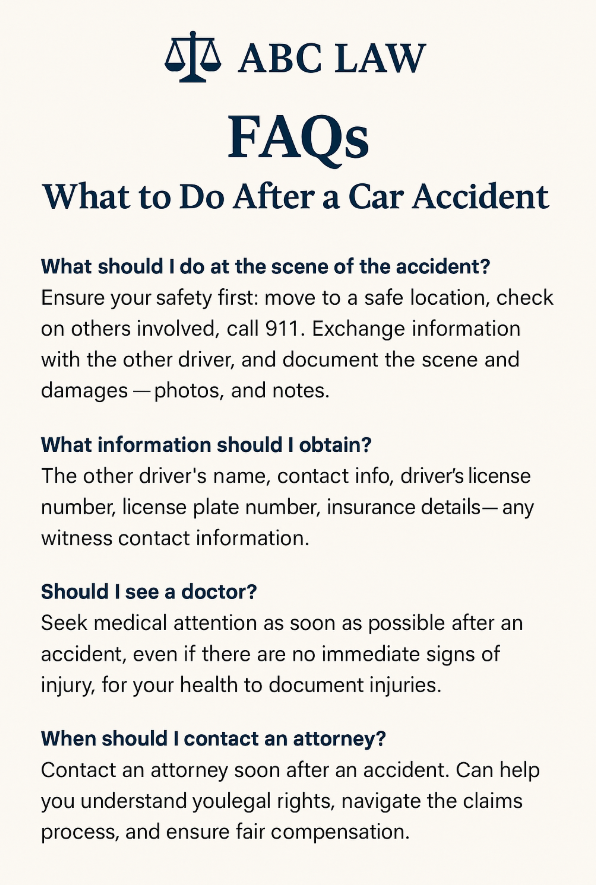
  1. Rework Your FAQ Pages
    • AI loves clear Q&A formats.
    • Example: Instead of a 1,000-word article on “What to do after a car accident,” break it down into direct Q&A sections
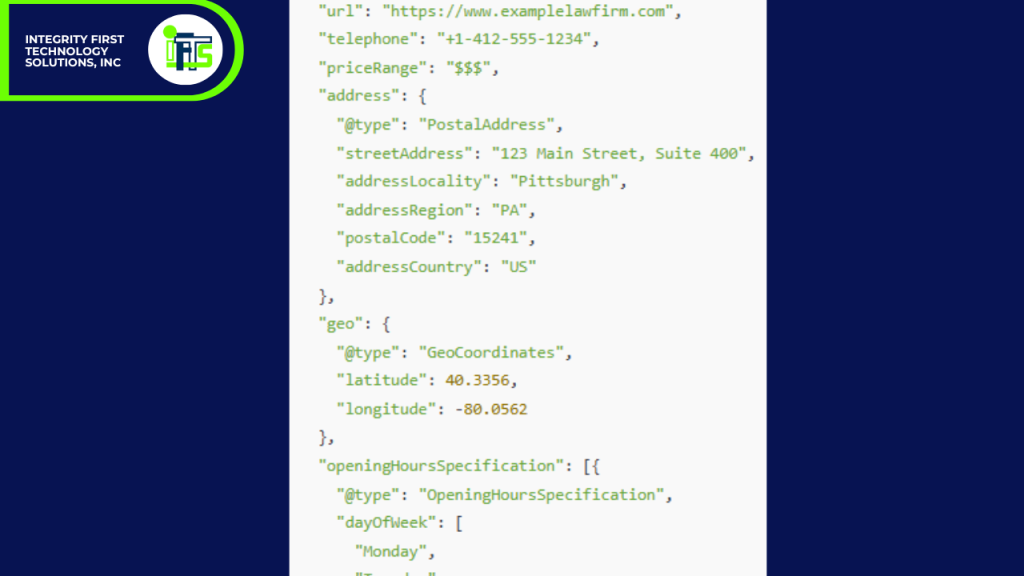
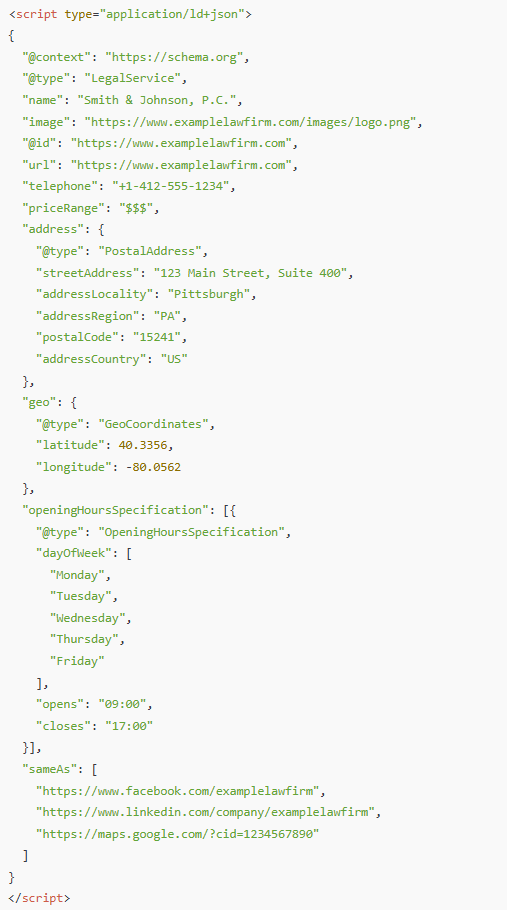
  •  2. Add Schema Markup (Structured Data)
    • Schema tells AI engines who you are, what services you offer, and why you’re credible.
    • Use “Attorney,” “FAQ,” and “Local Business” schema types.
    • Check out our sample schema below

You’d place this inside the <head> of your site or via a schema plugin

  1. Focus on Authority & Recency

    • Update blogs regularly.
    • Showcase reviews, testimonials, and case results (where ethically appropriate).
    • Keep your content fresh so AI sees you as relevant.

Why Ignoring AEO Could Cost You Clients

Imagine your competitor embraces AEO, and you don’t.

Clients in your market start asking AI questions like:

  • “Who’s the top workers’ comp attorney near me?”
  • “How much does a custody lawyer cost?”
  • “What’s the statute of limitations for medical malpractice in Ohio?”

If AI doesn’t pick you as the answer, your firm will never even be considered.

That’s the danger.

It’s not about being one of many anymore—it’s about being the only answer.

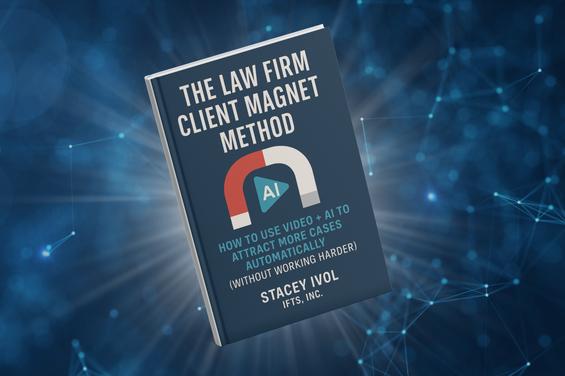
Related Resource: The Law Firm Client Magnet Method

Want to take your marketing further? Download The Law Firm Client Magnet Method — a step-by-step guide to using AI + video to attract more cases automatically, even if you don’t have a large marketing team. With this book, you’ll learn:

  • How to turn simple videos into trust-building machines
  • How to repurpose one video into 20+ formats using AI
  • How to automate follow-up so you convert more leads into clients

Download the Book & Get Bonus Tools →

So, Be the Answer They’re Looking For

The shift from SEO to AEO is not coming—it’s already here. 

Answer engines like ChatGPT, Perplexity, Grok, and Google Gemini are transforming how clients search for lawyers.

The question is simple – Will your law firm be the answer AI recommends?

…Or will your competitor take that spot?

The good news is, you don’t need a massive budget or a 10-person marketing team. You just need the right strategy, the right structure, and the willingness to adapt.

Next Steps

This blog is the first in our AI Search for Lawyers series. 

In the next article and video, we’ll cover:  “What Is AEO and Why Should Lawyers Care?”

Don’t miss it—subscribe to our YouTube channel, bookmark our blog and stay ahead of the curve.

And if you’d like help making your firm the definitive answer in your market, reach out—we specialize in AEO strategies for law firms – https://iftsdesign.com/aeo 

How to Make Professional AI Headshots at Home (Step-by-Step)

Want a polished, confident headshot for your website or LinkedIn—without a studio, getting dressed up, or perfect lighting?

In this guide, I’ll walk you through creating professional-looking AI headshots at home using the app Gio (iOS;  $39.99/year), plus pro tips for natural results.

What you’ll need

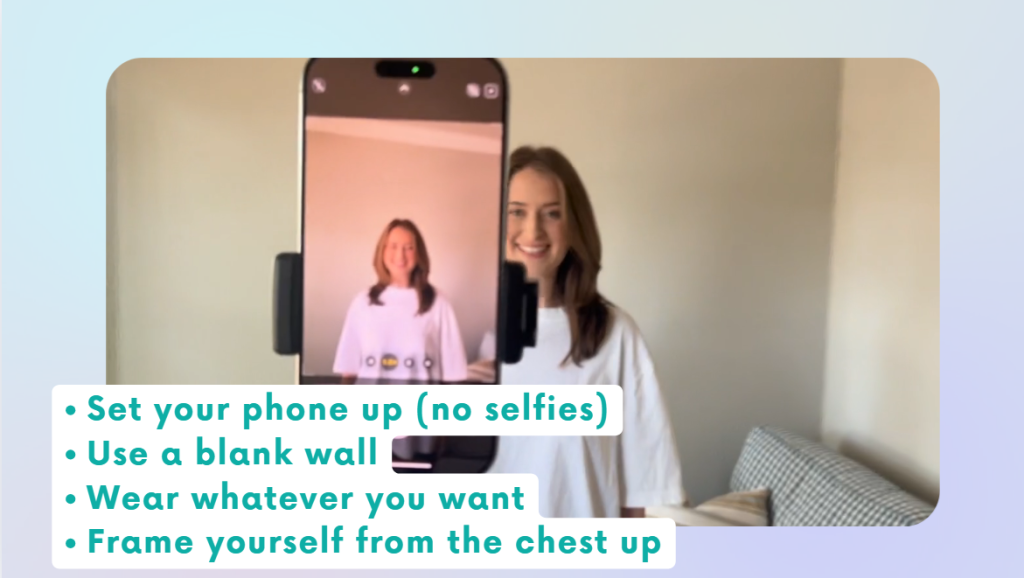
  • A smartphone (rear camera preferred)

  • A plain wall or simple background

  • Soft, even light (a bright window works great)

  • Geo app installed and logged in

  • Optional: a helper or tripod; otherwise use the phone’s timer

You don’t need to dress up or do full hair/makeup. We’ll handle styling and polish inside the app.

Step-by-step tutorial

1) Prep your space

  • Stand 2–4 feet from a plain wall.
  • Face a window for soft, even light; avoid mixed overhead lighting.
  • Remove wall clutter (hooks, frames) so the background is clean.

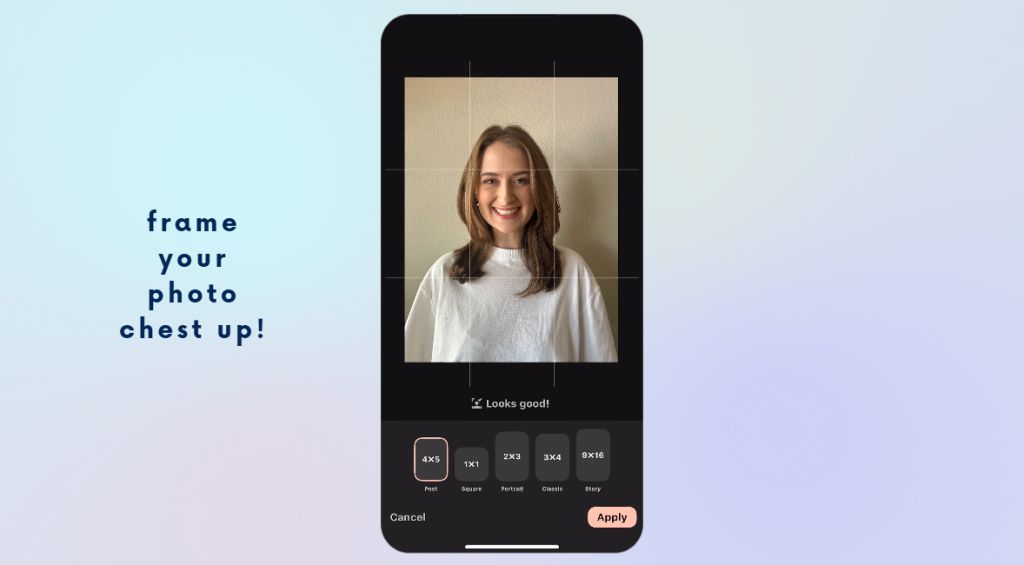
2) Frame the photo correctly

  • Composition: chest-up, with a bit of space above your head.


  • Camera at eye level, held straight (no tilt).


  • Keep the frame not too wide—we don’t want a full-body shot.


3) Take your base photo

  • Relax your shoulders; slight smile or neutral expression.

  • Snap several options (different angles: straight on, slight turn).

If solo, use a 10-second timer and prop the phone at eye level.

4) Import into Gio

Open Gio → click styles→ select your best chest-up photo.

5) Crop before styling

  • Use Geo’s crop tool to frame just below the chest to a little above your head.

  • Center your eyes roughly in the upper third of the frame.

6) Choose a style

  • Tap Styles. You’ll see categories (e.g., Office, Doctor, Realtor, etc.).

  • For a classic business look, try Office → Blazer or a button-up.

    • Some styles add clothing only (no background). That’s normal—we’ll add a backdrop next.

Turtlenecks often hide neck artifacts, which can look more natural.

7) Generate & review

  • Let Gio process (typically quick or 1-3 minutes max).

Check hairline, neckline, and edges of clothing. If anything looks off, try a nearby style or let it regenerate.

8) Add a professional background

  • Go to Backgrounds → choose an office or studio look.

Aim for believable depth of field (slight blur behind you). This instantly elevates realism.

9) Retouch lightly (less is more)

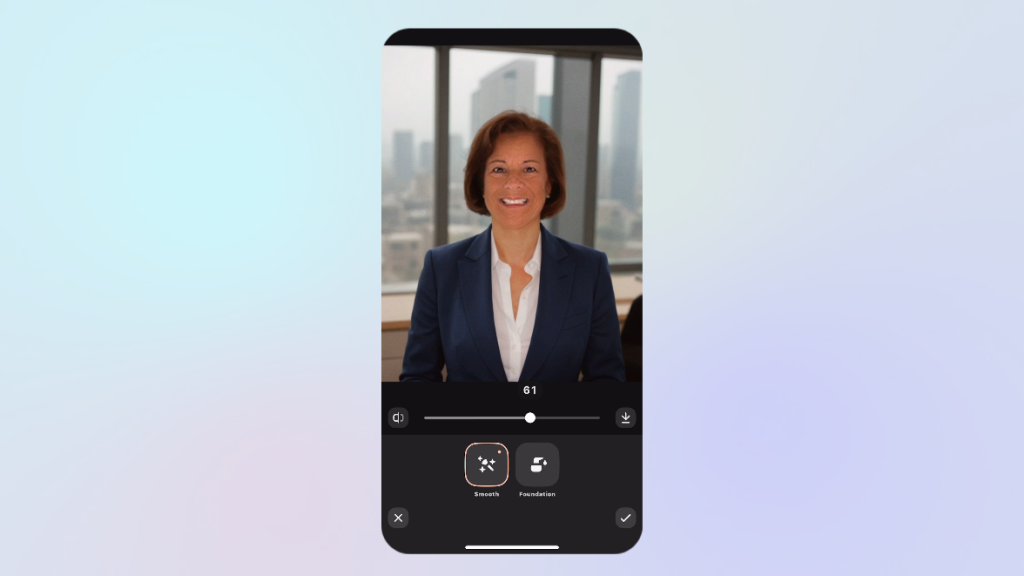
  • Open Retouch → Skin:

    • Set skin smoothing ~40–50%. Enough to polish, not plastic.

  • Teeth/Lips:

    • Small amounts of teeth whitening or a slight lip lift can help; avoid extremes.

Rule of thumb: if you can see the edit, it’s probably too much.

10) Match lighting & color

  • Use Adjustments:

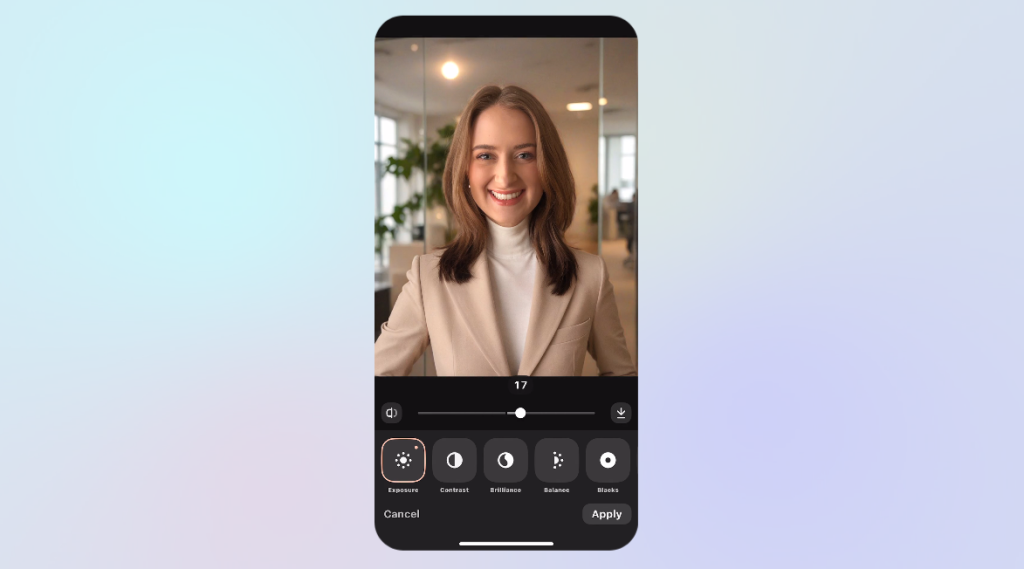
    • Tweak brightness/contrast so your face matches the background exposure.

    • Slight warmth can add a healthy tone; avoid orange.

If AI clothing looks overly crisp, add a touch of blur or reduce sharpness to mimic a real photo.

11) Optional: brand-style filters

  • Light filters can add mood or consistency with your website/Instagram.

Keep it subtle; you’re going for timeless, not trendy.

12) Export for each platform

  • Save as a standard image to your camera roll.

  • Crop for platforms:

    • LinkedIn: square (1:1), face centered, shoulders visible.

Website bio: vertical (3:4 or 4:5) with a bit more breathing room.

Working with less-than-perfect photos (mature skin & low light)

If your only photo is slightly blurry, dim, or shows fine lines, you can still get a great result.

  1. Add a clean background first—this often fixes the overall feel.

  2. Fine lines: keep smoothing under 50% to preserve texture.

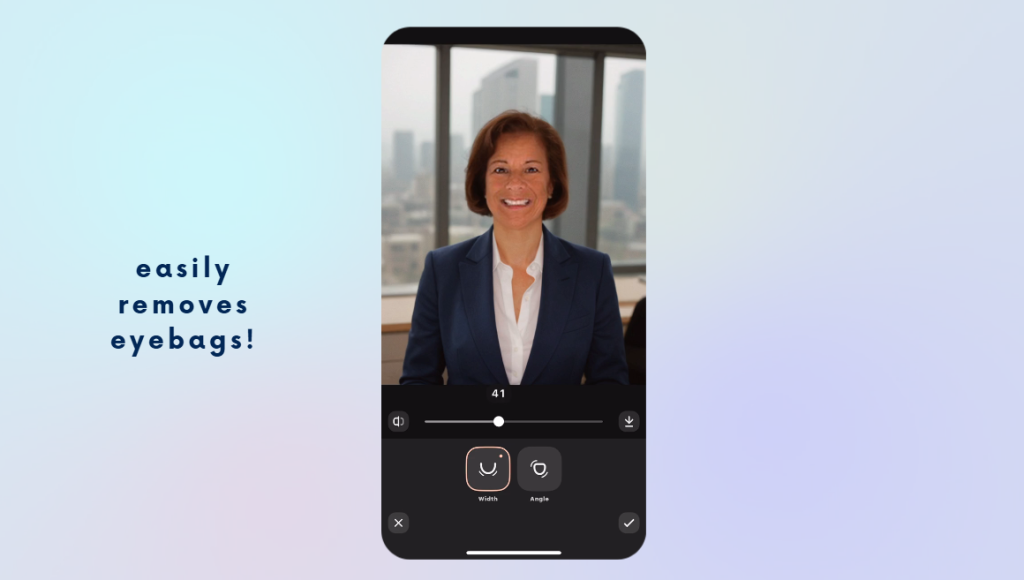
  3. Eye bag reduction: you can push this higher than other retouches and still look natural.

  4. Chin/angle tools: use sparingly to correct camera distortion (don’t reshape your face).

  5. Makeup: The makeup options are minimal on Gio but offer a touch of color. I go with the natural look at about 50% and it adds light definition to eyes/lips without looking “done.”

If sharpening highlights wrinkles, back it down and rely on gentle blur + contrast balancing instead.

Quick do’s & don’ts

Do

  • Shoot chest-up against a plain wall with window light.

  • Keep edits subtle and consistent across all variations you export.

  • Choose backgrounds that fit your industry (law, tech, healthcare, creative).

Don’t

  • Over-smooth skin or over-whiten teeth.

  • Use busy or trendy backgrounds that will date the image.

Save only one version—export a LinkedIn crop and a website crop.

FAQs

Do I need to dress up?
No. Wear anything—Gio can add a blazer, button-up, or sweater later.

What if my photo is a bit blurry?
You can still get a professional result by pairing gentle retouching with a clean, well-lit background.

How many styles should I try?
Test 2–4. Keep one formal (blazer), one business-casual (button-up), and one relaxed (sweater) for different uses.

Will people be able to tell it’s AI?
If you keep retouching subtle and match lighting/contrast to the background, most viewers will simply see a clean, professional portrait.

Done-for-you option (fast, affordable, hands-off)

If you’d rather skip the tweaking and subscriptions, we offer a Virtual Headshot Service for $79:

  • 3 professionally edited headshots to choose from

  • Custom social media graphic for LinkedIn/website

  • 24-hour turnaround

It’s quick, effortless, and you never have to leave your office.

Get your Virtual Headshots 

How to Turn Your Law Firm’s Website Into a Client-Generating Machine with Content and Video

If you’re like most attorneys, you know your website should be helping you attract new clients — but you’re not sure what content actually works.

The truth is, your potential clients aren’t searching for your name first. They’re searching for answers to their legal problems.

They’re typing things like:

  • “Do I need a will in Georgia?”
  • “How long does a DUI stay on your record?”
  • “What happens if I miss a custody hearing?”

If your website provides clear, local, and trustworthy answers to those questions, you gain their attention and earn their trust — and that leads directly to new consultations.

In this post, I’ll walk you through how to build a content system that turns search traffic into signed clients — using:

Let’s get into it.

1. Create One Service Page Per Practice Area

Many law firms still rely on a single “Practice Areas” page — a big list of everything they do. That approach is outdated and bad for SEO.

Instead, create a dedicated page for each legal service you offer, such as:

  • /dui-defense
  • /child-custody
  • /estate-planning
  • /probate-litigation

Each page should be built around one primary keyword like “estate planning lawyer in Pittsburgh.” Include:

  • A clear headline that mentions your service and location
  • A plain-English explanation of the service
  • Mentions of your city or county
  • Internal links to related blog posts and FAQs
  • A bold call to action (CTA), like “Schedule a Free Consultation Today”

Done right, these pages become your website’s most valuable asset — working 24/7 to rank in search, build trust, and convert visitors into leads.

2. Write Blog Posts That Answer Real Questions

Your blog is not a press release section. It’s a place to answer your potential clients’ most pressing legal questions.

Here’s what to write about:

  • Client questions you hear again and again during consultations
  • Recent law changes in your practice area or state
  • Step-by-step guides like “How to Prepare for a Custody Hearing”
  • Case studies or anonymized examples of how you helped someone
  • Myths vs. truths about common legal processes
  • “What to do if…” posts, like “What to do if you’re served divorce papers”

Keep it simple and conversational. Break your posts into sections with headings. Use internal links to your related service pages. And always end with a clear CTA.

Even just one or two well-written blog posts per month can dramatically improve your visibility and trust factor.

3. Build Topic-Specific FAQ Pages

FAQs aren’t just for saving your receptionist’s time — they’re powerful SEO tools and trust-builders.

Instead of one massive FAQ page, break them into topic-specific pages like:

  • DUI Defense FAQs
  • Estate Planning FAQs
  • Family Law FAQs in [Your County]

Use plain language and keep answers short. If possible, add FAQ schema markup to improve your chances of getting featured in Google’s “People Also Ask” or rich results.

And don’t forget to link out to relevant blog posts or service pages when a question deserves a deeper explanation.

When someone lands on your FAQ page and finds the exact answer they were looking for, they’re already one step closer to booking a consultation.

4. Turn Written Content Into Video (With Help from AI)

People love video — especially when it’s short, simple, and informative.

The good news? You don’t need a studio or hours of prep to make it happen.

Start by using a blog post or FAQ you’ve already written. Then:

  • Use AI to help turn it into a short video script
  • Record yourself answering the question (even just with your phone)
  • Post the video to YouTube, your blog, Instagram, and your Google Business Profile
  • Embed it wherever it fits on your website

For example, one short video like:
“Do I need a lawyer for probate in Pennsylvania?”
Can be repurposed into:

  • A YouTube video
  • A Facebook Reel
  • An FAQ answer
  • A blog with transcript
  • A GBP post

With just a few pieces of reusable content, you’ll start standing out in a market where most attorneys still haven’t tried video at all.

Final Thoughts: Don’t Overcomplicate It

You don’t need a complicated funnel or a massive content calendar to succeed.

Just focus on these four content assets:

  • Dedicated service pages that clearly explain what you do
  • Blog posts that answer real client questions
  • FAQ pages that build trust and authority
  • Short videos, powered by AI, that scale your message across platforms

This simple system can turn your website from a static brochure into a true marketing engine.

Want a Shortcut?

If you’d like a step-by-step guide to implement this, download your free copy of our book, First in Search, First in Court.

It’s packed with checklists, templates, and strategies we use to help law firms outrank the competition and consistently book new clients.