


Navigating the world of digital marketing can be daunting, especially with the plethora of terms and acronyms that are frequently used.
Whether you’re a seasoned professional or working with an agency in the industry, understanding these key concepts is crucial for optimizing your marketing strategies.
This guide will break down essential marketing terms that you will encounter on our website, in our case studies and throughout our social posts, providing clear definitions and practical examples for working with us or any marketing agency.
Definition: ROI measures the profitability of an investment. It’s calculated by dividing the net profit from an investment by the cost of the investment.
Example: If you spend $1,000 on a marketing campaign and generate $2,000 in sales, your ROI is 100%. This means you’ve doubled your investment.
Definition: Retention refers to the ability of a company to keep its customers over time.
Example: A subscription service that maintains 95% of its subscribers each month has a high retention rate, indicating customer satisfaction and loyalty. This also indicates that they lose 5% of their subscribers every month.
Definition: Churn is the rate at which customers stop doing business with a company.
Example: If a company has 100 customers at the start of the month and loses 17 by the end, the churn rate is 17%.
High churn rates suggest there are issues that need to be addressed to improve customer satisfaction.
Definition: A conversion occurs when a user completes a desired action, such as making a purchase or filling out a form. You frequently have to define conversions for Google Ads and Google Analytics.
Example: If an e-commerce site gets 600 visitors and 30 of them make a purchase, the conversion rate is 5%.
Definition: A CTA is a prompt on a website or ad that encourages the user to take a specific action. It should be simple, direct and easy to understand. It should also be something that stands out, like a brightly colored button.
Example: “Get a Free Quote” or “Sign Up Now” are common CTAs that guide users toward a desired action, such as filling out a form or making a purchase.
Definition: A landing page is a standalone web page created specifically for a marketing or advertising campaign. This is the page that you send ads to, not the home page. Everything on this page has one purpose – get the site visitor to buy your product or service.
Example: A page designed solely to promote a special discount on a product, with a clear CTA to “Buy Now,” serves as a good landing page .
Definition: SEO is the practice of optimizing a website to rank higher in search engine results organically.
Example: Using relevant keywords, creating quality content, and obtaining backlinks are strategies to improve SEO and drive more organic traffic to your website.
Definition: A backlink is a link from one website to another, which is important for SEO. For a more in-depth look at backlinks, check out this article from IFTS.
Example: If a popular blog in your space links to your business website, that backlink can improve your site’s authority and search engine ranking.
Definition: In SEO, a citation is a mention of your business’s name, address, and phone number (NAP) on other websites.
Example: Listings on directories like Yelp or Yellow Pages include citations that can help boost your local SEO by making your business more discoverable in search engines.
Definition: NAP consistency refers to having the same business name, address, and phone number across all online platforms. Tools like Yext can help you maintain this easily.
Example: Ensuring your business’s NAP information is identical on your website, social media profiles, and directory listings helps improve local SEO.
Definition: The bounce rate is the percentage of visitors who leave a website after viewing only one page.
Example: If 1,000 people visit your website and 500 leave after only viewing the homepage, the bounce rate is 50%.
A high bounce rate may indicate that visitors aren’t finding what they’re looking for on your website.
Definition: SEM involves using paid advertising to increase a website’s visibility on search engines.
Example: Running a Google Ads campaign or a Google Local Services Ad to appear at the top of search results when users search for “best local coffee shop” is an example of SEM.
Definition: PPC is an advertising model where advertisers pay a fee each time one of their ads is clicked. This is most typically used when referring to a Google Ads campaign.
Example: A business runs a Google Ads campaign and pays $0.55 for each click. If their ad gets 1,000 clicks, they spend $550 in total on the PPC campaign.
Definition: The target audience is the specific group of people most likely to be interested in your product or service. You will want to think about age, location, psychographics, etc when defining your target audience
Example: For an Orlando-based wedding photography business, the target audience would be engaged couples planning their weddings in the Orlando area.
Understanding these fundamental marketing terms will empower you to make informed decisions and effectively communicate your needs and goals.
For more detailed explanations and examples, feel free to reach out to our team or explore our other resources.
Engage with prospects and save time with your FREE Canva template kit. This kit features the top 3 social media posts for painting companies and directions on how to brand them for your own business in 5 minutes or less.
Enter your email below and get the templates sent directly to your inbox along with an instructional video on how to make personalized edits.
In today’s digital age, online reviews play a crucial role in shaping the reputation and success of businesses. Positive Google reviews not only build credibility but also attract more customers to your doorstep. So, how can you make it easier for your satisfied customers to leave glowing reviews? The answer lies in a simple yet powerful strategy: custom business cards.
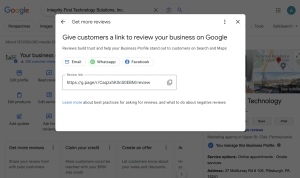
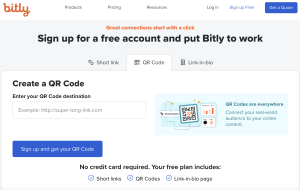
In our previous blog post, we showed you how to get a shareable Google Business review link and how to turn that link into a QR code using Bitly.
Now, we’re going to show you how to leverage the power of Canva to create custom business cards with your Google review link that drives even more Google reviews to your business.
Before we dive into the tutorial, let’s briefly discuss why Google reviews are so important for businesses.
Now that we understand the importance of Google reviews, let’s get started with the tutorial!
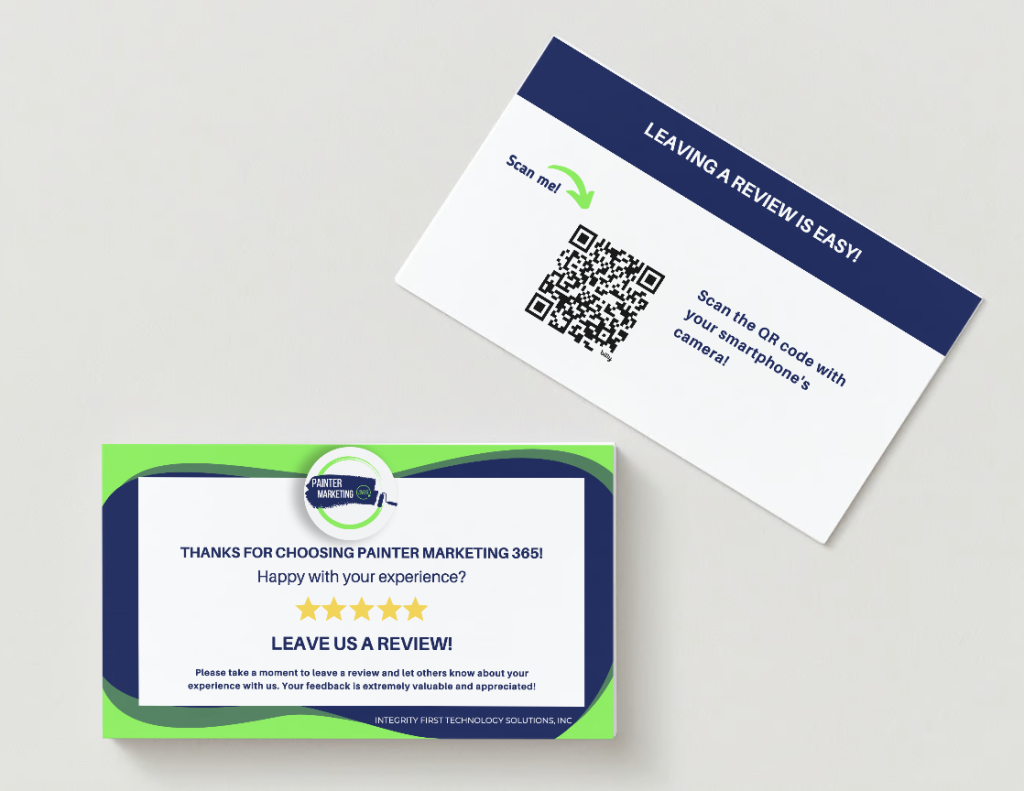
These cards not only serve as a reminder for customers to leave feedback but also make it incredibly convenient for them to do so. By incorporating a QR code linked directly to your Google review page, you’re simplifying the process for your customers, ultimately increasing the likelihood of them leaving a positive review.
Let’s explore how you can create and utilize these custom review cards to further enhance your online reputation and attract more customers to your business.
Canva is a user-friendly design platform that offers a wide range of templates for various purposes, including business cards. Here’s how to create your custom business card:
2. Strategic Distribution: Make sure to leave your custom business cards at your checkout counter, include them in packaging, or hand them out during events or networking opportunities. The key is to make them readily available to your customers.
By following these simple steps, you can create custom business cards that not only represent your brand but also serve as powerful tools for boosting your Google reviews. Remember, the more accessible and user-friendly you make the review process for your customers, the more likely they are to leave positive feedback.
So, what are you waiting for? Start designing your custom business cards today and watch as your Google reviews soar, bringing in more customers and growing your business’s reputation.
If you found this tutorial helpful, don’t forget to share it with others who might benefit from it.
Stay tuned to our blog for more tips and tricks to help you succeed in the digital world.
Happy designing and here’s to more glowing Google reviews for your business!
Does your painting business’ website show up where you want it in the Google search results for ALL potential clients?
If not, this article is for you.
We will review what SEO is, why it’s important and the steps that you can take to improve your ranking.

The success of your business largely depends on how well you rank online. To achieve this goal, it’s essential to prioritize the right SEO techniques that will boost your marketing efforts and drive growth. With these strategies in place, there’s no limit to what you can accomplish!
Google processes over 5 billion searches everyday! One out of five queries originate from mobile devices. In fact, more than half of mobile queries are “near me” searches. For the desktop inquiries, which make up the other 80% of searches, roughly twenty percent have local intent.
This trend highlights the importance for businesses to optimize their online presence and ensure they appear prominently when potential customers search nearby.
Its evident that local search behavior has immense potential for generating new house painting leads! By crafting a targeted campaign focused on consumers in specific areas and implementing effective marketing techniques you can enhance your visibility online. This will ultimately lead to increased chances of attracting fresh customers who may not have known about you otherwise.
By optimizing your Google Business Profile Listing correctly, you could potentially reach the top of organic SERPs within the local results section for your niche.
However, don’t limit yourself to just focusing on your Google Business Profile alone when it comes to improving your local SEO campaign. Optimizing your business listings on social media sites, Yelp and other major listings is crucial for attracting customers.
To achieve this, you will need to claim, optimize, verify, manage and sync all relevant information about your company across these platforms.
(Need help with this? Our services will ensure that potential clients find accurate details about what you offer when they search online. Don’t miss out – let us handle the heavy lifting so you can focus on running a successful painting company! Email si@iftsdesign.com to find out more)
So, what do you need to sync across all of your listings?
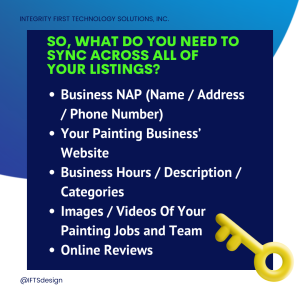
Make sure that your company’s name, address and phone number is written exactly the same across all listings and your website.
As an example, if your address is “123 North Smith Street,” don’t have your website say “123 N. Smith Street” and the Google Business Profile say “123 North Smith St.” Choose one version of the name/address/phone number and stick to it.
Having a link to your official website is crucial. This gives Google and other search engines a link to follow, which gives them relevant information about your company. It also allows customers looking at your citation to go directly to your site.
All your listings should have the same hours, description and industry categories. If they don’t, the search engines will be confused about which is the correct and most relevant data about you. This could result in a lower result for your website in the results.
Including high-quality images and videos can set your citation apart from others in your industry. It will maximize your visibility and sometimes, will make your citation larger than others, which catches the eye of the person browsing.
While you can’t optimize your reviews, technically speaking, it is still essential to keep a close eye on them. Regularly checking up on new listings for fresh feedback is important. So is flagging any spam or inappropriate comments.
Bad review? No problem! Responding professionally when dealing with dissatisfied customers who may have had negative experiences shows that you care about the client experience and gives you a chance to fix the issue.
This approach helps ensure that everyone has an opportunity to share their thoughts while also maintaining the integrity of online review platforms overall. By staying vigilant about these matters, painting businesses like yours are better equipped than ever before to address concerns head-on and ultimately improve customer satisfaction levels over time!
Want to improve your local presence online? Start with your website!
Using multiple SEO strategies to optimize your website is crucial to getting more local house painting clients.
Here’s a great way to start this process:
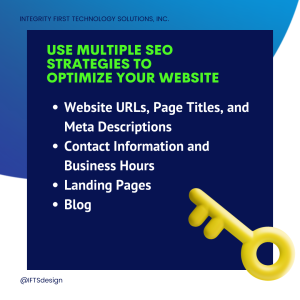
When Google and other search engines crawl your site, it’s important to have these elements filled in and optimized.
[Side Note – If your website is created in WordPress, you can use the Yoast plugin to take care of all of these]
The website URL is the website address of the page www.yoursite.com/page-name. You’ll want to be sure that the page-name element contains keywords and your local town name.
The page title is the name of the webpage that appears in the tab on your browser. A good format for naming your webpages is “Keyword 1 – Keyword 2 | Company Name.”
The meta description is the short paragraph that appears below the website name in the search engine results. Google does not look at this when determining page rank, but your client is going to read it. Put the most relevant information in there for them.
Just like with the citations, you want to be sure that your website clearly lists the hours and how to contact you. Make sure that this information is consistent with the citations as well.
Want to attract clients from multiple areas?
Have a landing page that is optimized for each location. However, one important thing to note – these pages cannot have the exact same text on each page. Be sure to customize it to that town or be penalized by Google.
Having a blog is a great way to improve your SEO!
You can showcase your latest projects, highlight an employee, inform your clients and prospects about a frequently asked question, or talk about events that are happening in your town. Each one of these allows that specific blog entry to be optimized to a set of keywords that are relevant to your local area. More about this in the next post…
Ready to get started? Implement the two SEO tactics above.
In our next post, Strategy 4, Strategy 5 and Strategy 6 Will Be Revealed.
Engage with prospects and save time with your FREE Canva template kit. This kit features the top 3 social media posts for painting companies and directions on how to brand them for your own business in 5 minutes or less.
Enter your email below and get the templates sent directly to your inbox along with an instructional video on how to make personalized edits.